What is Compliance Document Management?

Updated:
November 17, 2026
Compliance document management is the process of controlling the policies, procedures, plans, and records an organization uses to meet regulatory and framework requirements. It keeps employees on current instructions and lets auditors trace each requirement to approved evidence.
Without it, an employee follows an old access procedure while an auditor receives a newer policy that never completed approval, and the organization cannot show which instructions applied on any given date.
In S-Docs’ 2026 survey, 69% of U.S. leaders in financial services, healthcare, and the public sector said their organizations route critical documents through at least three tools. Each handoff gives teams another place to check version consistency.
This article covers how approvals, version control, review cycles, and retention keep that from happening, and which software features support them.
Key Takeaways
- Give Every Controlled Document an Owner, Version Number, and Clear Status
- Link Each Approval to the Exact Version Employees Will Use
- Review Documents Regularly and Whenever Business Changes Affect Their Accuracy
- Retain Documents for Required Periods and Check Legal Holds Before Disposal
- Choose Software That Preserves Approval Records, Version History, and Audit Evidence
What Is Compliance Document Management?
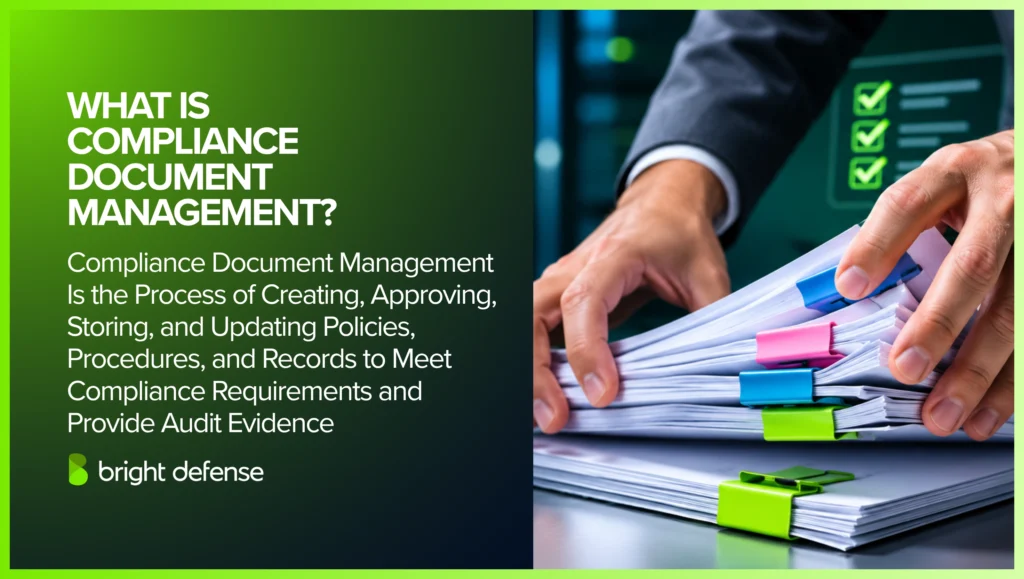
Compliance document management is the process of controlling the policies, procedures, plans, and records an organization uses to meet regulatory and framework requirements. It covers how these materials are created, approved, stored, reviewed, retained, and disposed of, so employees work from current instructions and auditors can trace every requirement to written evidence.
In cybersecurity, these materials fall into two types:
- Documents describe what should happen: Policies set the rules for protecting information, and procedures explain how employees follow those rules.
- Records show what happened: A completed access review, a risk assessment report, or a training log proves the work was performed.
Each controlled document carries a named owner, an approval status, and a version number. The owner keeps the content current, the status tells readers whether it is approved for use, and the version separates it from earlier copies. Superseded versions stay on file for as long as retention rules require, labeled clearly enough that nobody follows them by mistake.
“Policy management applies to all stages of the document life cycle”
— Richard P. Kusserow, former HHS Inspector General
A document register brings this information together in one table:
| Field | What It Records |
|---|---|
| Identity | Title and unique identifier |
| Owner | The person accountable for the content |
| Status | Draft, approved, or retired |
| Version | Version number and effective date |
| Review | Next review due date |
| Location | Link to the current approved version |
| Requirements | Obligations or framework clauses the document supports |
| Access | Who can read or edit the document |
| Retention | How long the material is kept and how it is disposed of |
The register acts as the program’s index. A departing owner’s documents can be filtered and reassigned in one pass, and a changed requirement points straight to the linked materials that need review.
In the 2025 SAI360 and Strategic Management Services healthcare survey, 17% of respondents reported managing compliance documents manually through spreadsheets. For teams using that approach, the register needs links to the controlled files and their approval records.
Control mapping in compliance connects these materials to the requirements they support. A single access control policy can satisfy SOC 2 CC6.1 and ISO 27001 Annex A 5.15 at once, and the completed access reviews tied to it serve as the evidence for both.h.
Which Compliance Documents Need Control?
Policies, procedures, plans, templates, completed records, and external documents all need control once they support a compliance requirement. The first four are instructions that change as the process evolves.
Completed records preserve what happened at a particular time, so they are controlled for integrity instead of currency. External documents enter from outside the organization and need their own handling.
Each type carries a different primary control:
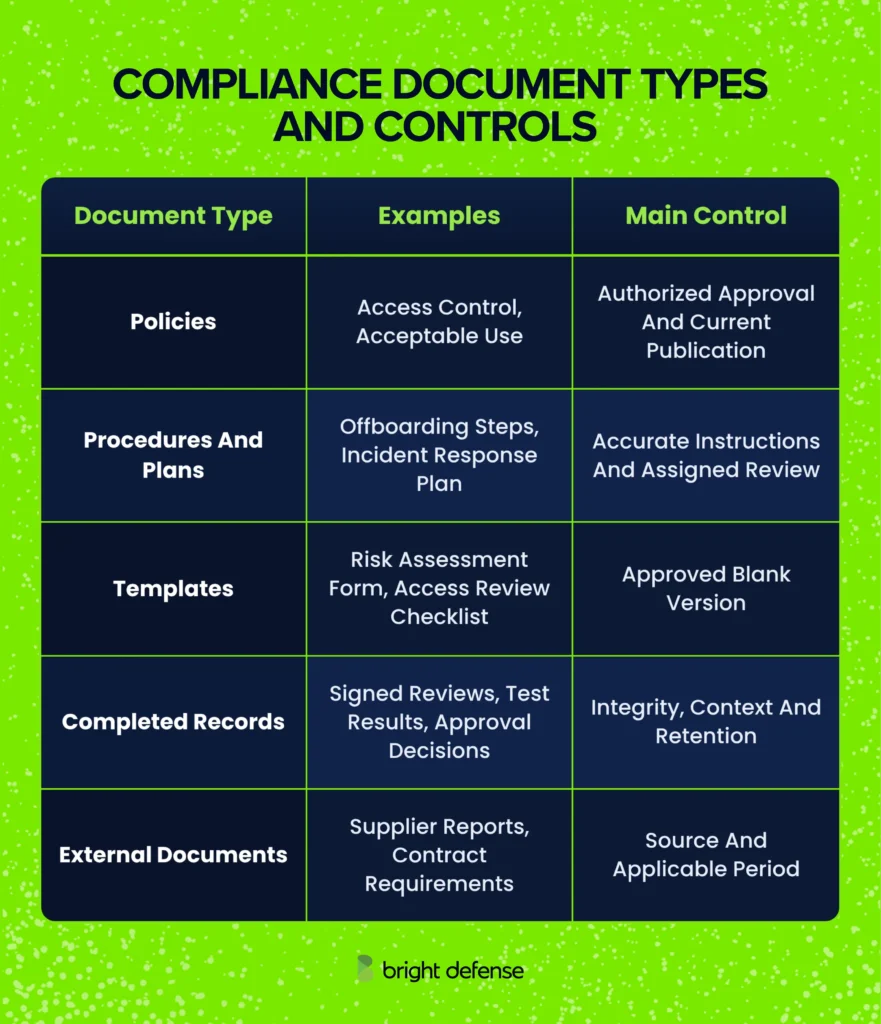
A blank access review checklist receives a new version when the process changes. A completed checklist from last quarter stays frozen as evidence of that review. When a record needs correcting, the reviewer adds a dated amendment that preserves the original entry, so an auditor can see both what was recorded and what changed.
One approved source per document is the rule. Separate copies of the same policy for every audit drift apart within a cycle, and the auditor ends up testing whichever version happens to sit in the evidence folder. Connect the single source to every requirement it serves instead.
SOC 2 policies and procedures show this split in practice: the policies state the written expectation, and the procedures plus their completed records prove the work employees performed against it.
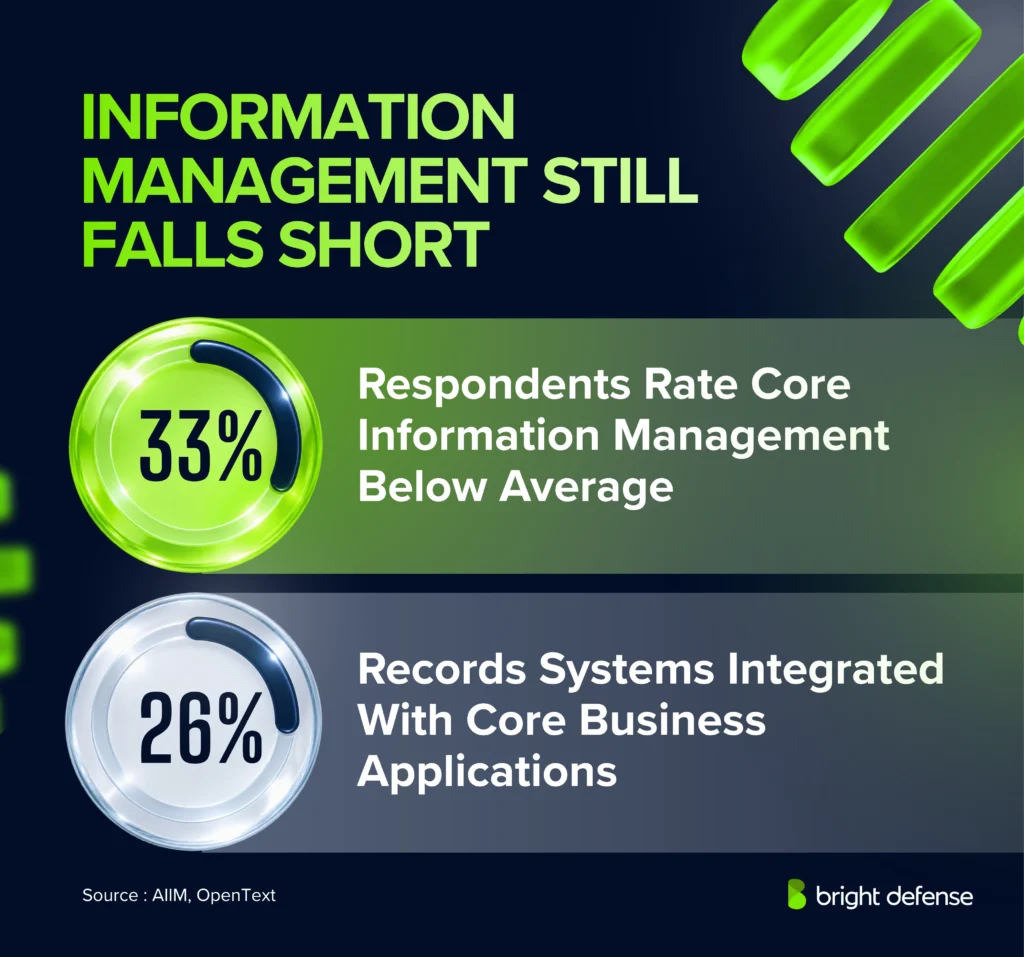
73% of surveyed U.S. managers in regulated industries placed legacy documentation systems among their five leading compliance risks. S-Docs’ 2025 survey covered 616 managers in IT, compliance, or operations.
How Do You Set Up Document Approvals?
Setting up document approvals means assigning roles, locking the draft under review, recording each decision, and publishing the approved version. Every approval has to point to the exact instructions employees will follow.
Four steps take a document from draft to publication:
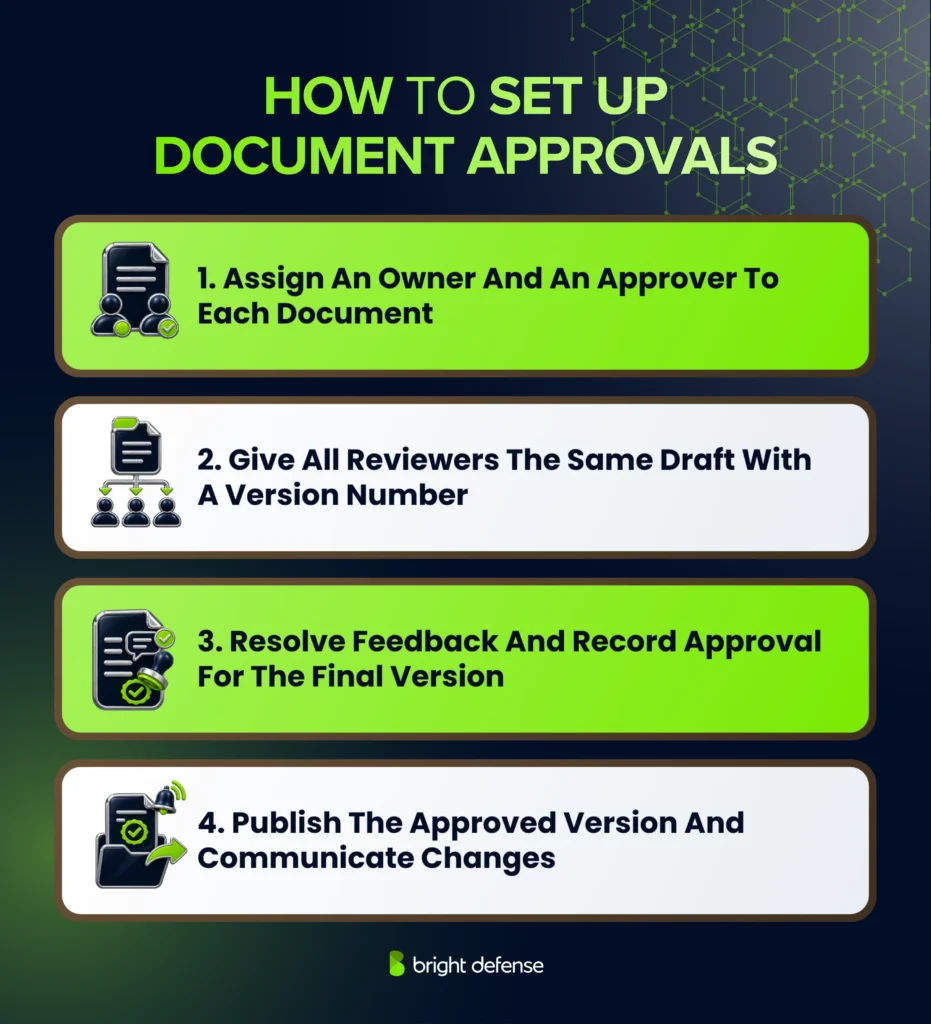
1. Give Each Participant a Clear Responsibility
Clear responsibilities help everyone understand their part in checking and approving a document. They also establish who can authorize its release for employees to use.
The approval process usually involves three roles:
- Owner: Maintains the document and prepares changes.
- Reviewers: Check whether the content is accurate and reflects how the work is performed.
- Approver: Decides whether the document is ready for use.
A separate approver provides an independent check on the owner’s work. On a small team, this can be a manager or colleague from another department who understands the process and did not write the document.
For example, an offboarding procedure needs input from the teams performing the work. HR reviews how departures are communicated, and IT checks the account removal instructions. The approver then confirms the procedure is ready for release.
An approval matrix records the required roles for each document type. It also identifies a substitute approver for absences and specifies when specialist review is needed, such as for changes involving privacy obligations.Record these responsibilities in an approval matrix, with the required roles listed for each document type. Include a substitute approver for absences and specify when specialist review is needed, such as for changes involving privacy obligations.
“We need to know what policies are out there … whether they were issued by someone with authority to do so.”
— Carole Switzer, OCEG President, speaking in an OCEG policy management roundtable
2. Make It Clear Which Version Is Being Reviewed
Approval only holds weight when every reviewer reads the same text. Send a specific draft with a version number and a short change summary, so reviewers know exactly which text they are signing off on.
A shared document that changes during review can leave people approving different instructions. Preserve the draft sent for review, or use a system that links each decision to the reviewed revision.
Reviewers then test that version against the work itself: current system names, accurate responsibilities, and steps that match how the task runs today. Their suggested changes go against the draft so the owner can resolve them in one pass.
3. Resolve Feedback and Keep an Approval Record
Once comments come back, the owner works through each one and records how significant concerns were resolved. Changes that affect what employees must do go back to the appropriate reviewers and approver.
Suppose a reviewer flags a missing escalation step in the incident response plan. Adding that step changes what responders do, so the revised text needs fresh approval before release.
Keep these details with the reviewed version:
- Approver’s name
- Decision, approved or rejected
- Date and time of the decision
- Version number
- Conditions to meet before release
This record ties the decision to the document it authorizes. Auditors sample these records and compare the approval date with the effective date, so an approval logged after publication reads as a control failure. Any release conditions get cleared before the approved version moves to publication.
4. Publish the Approved Version and Explain the Change
A revised access procedure might require IT to change a system setting before employees start following it. Approval can land ahead of the effective date for this reason, which gives IT time to finish the setup. The effective date then marks the day the new instructions begin to apply.
Publish the approved version where employees already look for procedures, and tell affected staff what changed and what they need to do. The owner names a contact for questions and decides whether employees must acknowledge the change. Any acknowledgment collected refers to the exact version employees received.
Approval authorizes the release, and acknowledgment records that employees received or accepted it. Training and spot checks show whether people apply the instructions in their daily work.
“Security policies, tools, and expectations have become incredibly confusing, difficult and overwhelming for people.”
— Lance Spitzner, Director of SANS Workforce Security & Risk Training
A change notice should identify the task employees now perform differently. An acknowledgment alone does not show that they understand the revised instructions.
How Does Version Control Prevent Use of the Wrong Document?
Version control keeps employees on current instructions through a stable identifier, a visible status, and one link to the release in effect. It preserves earlier releases with their approval history, so auditors can trace every change back to its authorization.
The four practices below cover the identifier, the change history, employee access, and the archive:
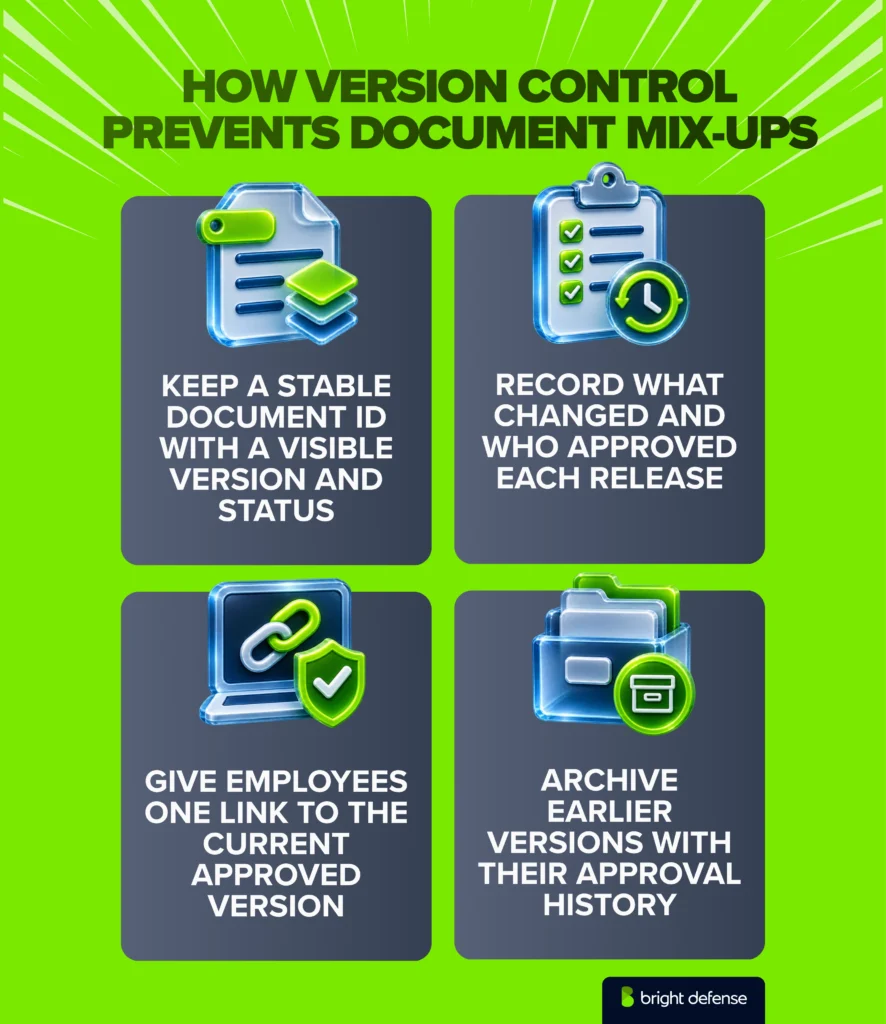
1. Keep a Stable Document Identifier
A stable identifier stays with the document through every revision. An access control policy might carry POL-AC-001 from its first draft onward, with its title, version, and draft or approved status displayed beside the identifier.
The document control procedure explains the numbering convention. A team might use 1.1 for a minor revision and 2.0 for a substantial change.
A filename such as “Policy Final Updated” tells nobody which copy governs once copies start circulating. A header or footer carrying the identifier, version, and status stays with every download and printout. Printed copies can carry an “uncontrolled when printed” note, which sends readers back to the live link before they act.
“Unfortunately, many organizations have scattered systems to publish policies and procedures without a single authoritative source.”
— Michael Rasmussen, GRC analyst, GRC 20/20
2. Connect Each Revision to Its Change History
Connecting each revision to its change history helps reviewers understand how a document has evolved and why it was updated. Each release usually records the following details:
- What changed
- Why the change was needed
- Who prepared the revision
- Which approval authorized its release
Specific descriptions let reviewers follow the history without comparing every line. “Adds approval for privileged access” tells a reviewer what the revision does, while “Updated policy” sends them searching the whole document for the difference.
Released versions stay locked against silent editing. Typos and broken links can go through a lightweight correction route, and any change to what people must do or who is responsible requires renewed approval.
3. Give Employees a Clear Current Version
A clearly identified current version helps employees follow the instructions that apply to their work today. It reduces confusion when older copies and upcoming revisions are also available.
Employees access this version through one stable link. Editing stays restricted to authorized contributors, and drafts stay out of the normal employee view.
Printed and downloaded copies need a replacement route, such as a notice from the owner when a new version takes effect. Obsolete copies get marked so people recognize them on sight, and onboarding guides and training courses point to the stable link.
Shared folders remain a common distribution method. In the 2025 healthcare survey, 25% of respondents used shared folders such as SharePoint to manage compliance documents. The folder location alone does not tell readers whether a file is approved; the document’s status and effective date still need to be visible.
4. Preserve Earlier Releases for Historical Checks
Preserving earlier releases helps reviewers understand which instructions applied when past work took place. This history supports checks of older decisions, even after the document changes.
Superseded versions remain accessible to authorized reviewers, along with their approval history and periods of use. During evidence collection in compliance, auditors match past activity against the instructions that applied at the time. A single examination period can span more than one policy version.
Restoring earlier wording goes through the approval process as a new release. The intervening history stays intact, so the record still explains what happened.
“Maintain an archive of retired documents and policies”
— Richard P. Kusserow, former HHS Inspector General
How Do You Set Document Review Cycles?
Document review cycles combine a scheduled interval with event triggers that force an earlier check. The interval comes from applicable deadlines and how fast the content goes stale, while triggers catch changes that make instructions wrong between scheduled dates.
Three steps cover the schedule, the triggers, and the record.
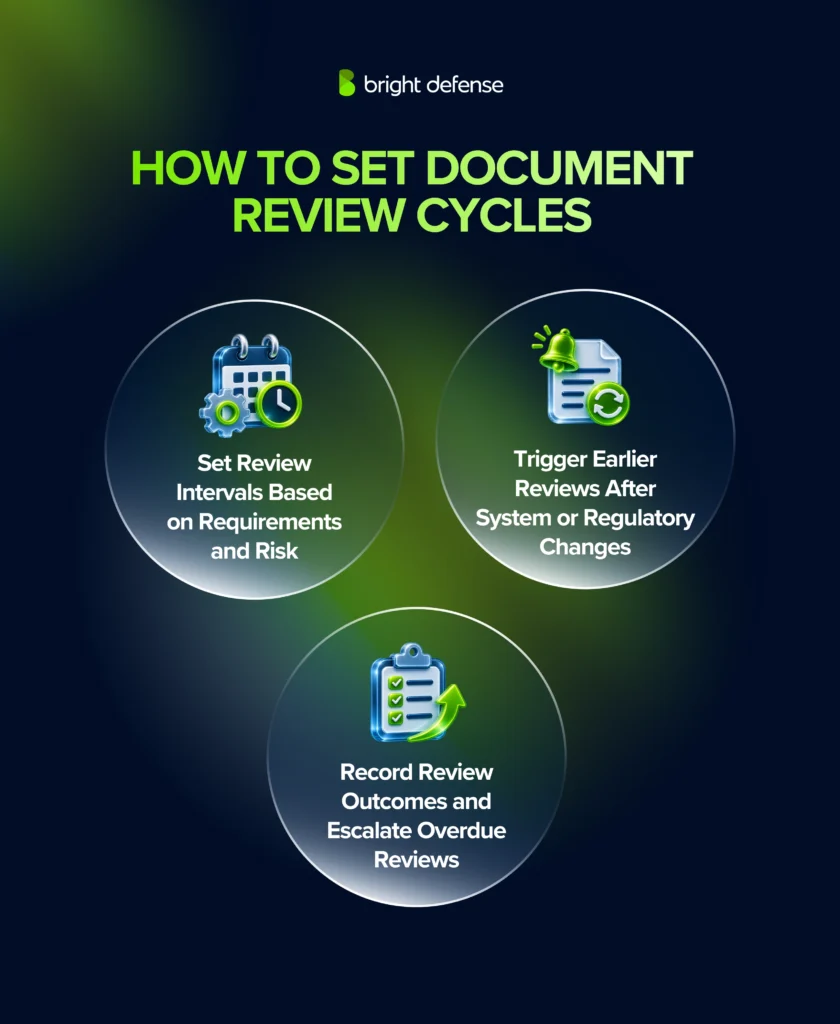
1. Check Required Deadlines and Choose a Review Interval
Each document’s review interval starts from its strictest applicable deadline. PCI DSS Requirement 12.1.2 requires a review of the information security policy at least once every 12 months, with updates when business objectives or risks to the environment change.
Other frameworks leave the frequency to the organization. NIST SP 800-53 control AC-1 has access control policies and procedures reviewed and updated at organization-defined intervals and after specified events.
Where the organization sets the interval, the pace of change decides it. A blanket annual rule misses documents that go stale faster. A workable baseline is annual review for policies, a six-month cycle for procedures tied to frequently changing systems, and quarterly checks for the contact lists inside incident response plans.
The register records the chosen interval and its basis next to the last review date and next deadline. Reminders go out 30 to 60 days before the deadline, which leaves room for revision and approval.
“Effective policy management requires that the policy lifecycle have a regular maintenance schedule.”
— Michael Rasmussen, GRC analyst, GRC 20/20
2. Trigger Earlier Reviews When the Business Changes
Business changes can make document instructions outdated before the next scheduled review. Earlier reviews help keep those instructions aligned with how the business operates. Typical triggers include:
- A new system or service provider
- A security incident
- An audit finding
- A revised legal or contractual obligation
- A change in responsibility
Replacing an identity platform can make account removal steps obsolete overnight. The procedure owner checks those instructions during the migration project, so employees have the correct steps the day the new platform goes live.
HIPAA ties updates directly to change. The HIPAA Security Rule’s documentation requirements call for periodic review and updates in response to environmental or operational changes affecting the security of electronic protected health information.
Each triggered review links to the project, incident, or requirement behind it. That link shows an auditor why the document changed before its scheduled date.
3. Record the Outcome and Escalate Overdue Reviews
Recording review outcomes provides evidence that a document was checked and identifies any follow-up work. Escalating overdue reviews brings missed deadlines to someone who can resolve the delay.
A review determines whether the document remains suitable, needs revision, or should be retired. The outcome links to the exact version examined, with a record of the following:
- Who completed the review and when
- What they checked
- What they decided and why
- What follow-up work is needed
A no-change outcome still leaves a “reviewed, no change” entry against the existing version. The document control procedure decides whether that entry triggers reapproval or a version bump, and the same rule applies to every document.
When revisions are needed, the owner gets a deadline and the changes move through approval and publication. The review counts as complete once the assessment is recorded. Corrections stay open as separate tasks until they take effect.
Missed deadlines escalate past the owner to the approver or the compliance lead. The original due date and any authorized extension stay on record, so rescheduling never hides the delay.
An overdue review calls for follow-up and leaves the document’s authority intact, unless the organization sets an expiry date. An expiry date ends authorization for use on a fixed day, so a lapsed review on an expiring document pulls it from circulation until someone renews it.
What Does an Approval and Version History Look Like?
A useful history ties each decision to a document version. It shows when that version governed work.
The following illustrative example uses access control policy POL-AC-001. A security manager owns the policy, and the CTO approves it:
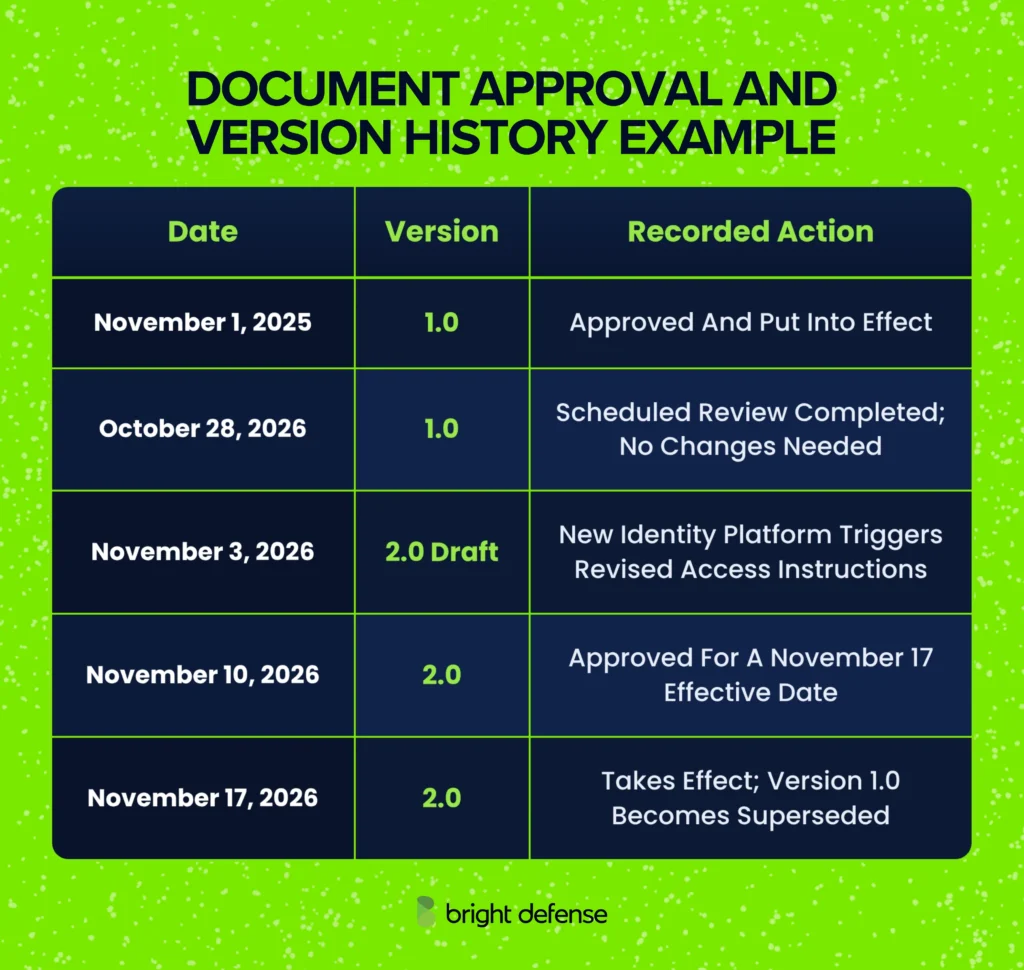
The October review keeps version 1.0 because the content remains unchanged. Its review record captures the checks and decision without creating a fictional content revision.
The November project triggers another review before the next scheduled deadline. Approval on November 10 gives IT time to prepare the revised access process before version 2.0 takes effect.
An auditor examining an access decision from November 12 receives version 1.0 and its supporting history. A decision from November 20 is assessed against version 2.0.
The table is an index to the supporting evidence.
Keep the following records behind its entries:
- Released document content.
- Approval decisions.
- Review notes.
- Relevant employee communications.
How Do You Retain, Archive, and Dispose of Compliance Documents?
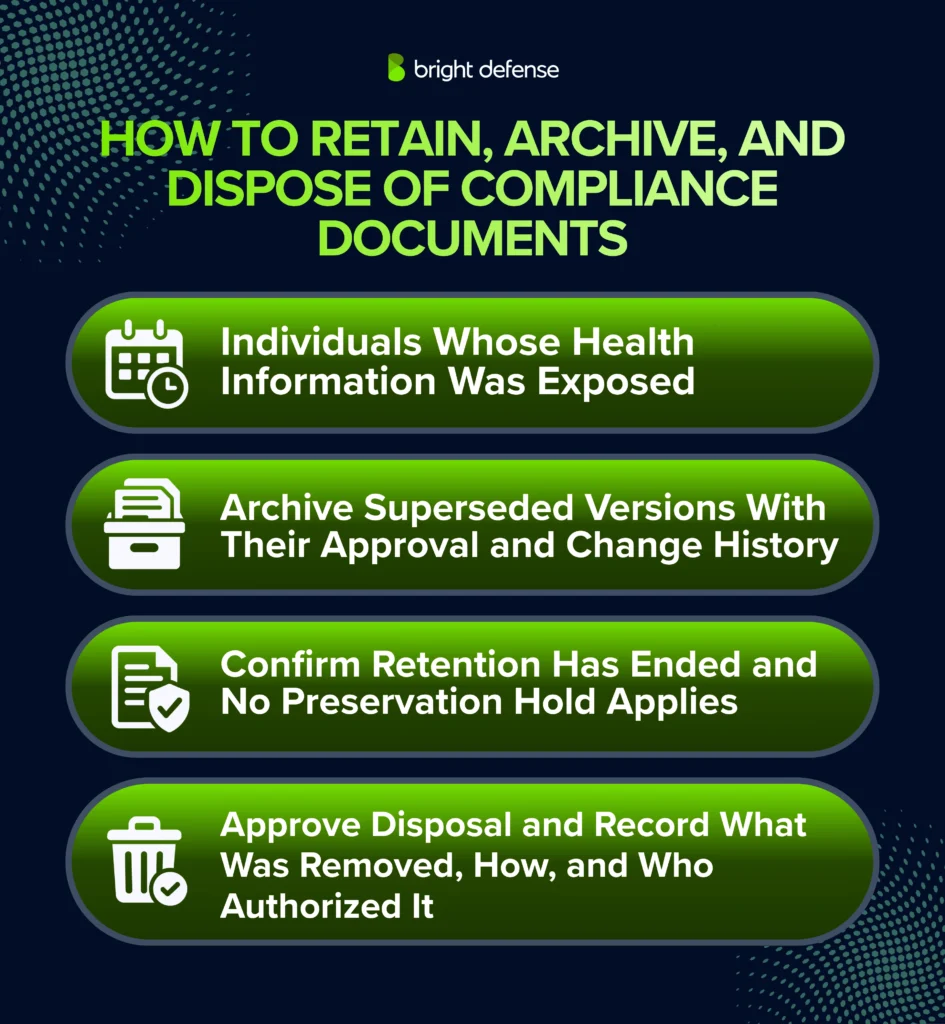
Compliance documents follow a retention schedule that sets how long each category is kept and which event starts the clock. Superseded releases move to a restricted archive that keeps them readable for that period, and disposal happens only after the period ends and no preservation hold applies.
HIPAA shows why the starting event matters. Required Security Rule documentation stays on file for six years from its creation or from the date it was last in effect, whichever comes later. The Summary of the HIPAA Security Rule lists what that covers: the policies and procedures the rule specifies, plus written records of the actions, activities, and assessments it requires. A policy written in 2020 and retired in 2026 stays on file until 2032.
Audit logs run on a different clock. PCI DSS Requirement 10.5.1 keeps audit log history for at least 12 months, with the most recent three months immediately available. The schedule therefore lists periods per category, and legal or compliance signs off on them, since contracts and state laws can extend them beyond any framework minimum. Review deadlines sit in a separate column, because a review date sets when content gets checked and a retention period sets how long the document survives after use.
Archived releases stay with the approval history, effective period, and change log that explain their use. Access is restricted to authorized staff, and the archive sits apart from the live library so a retired policy never resurfaces in search. A backup rotation overwrites itself on a cycle and drops that context, so it cannot stand in for the archive. After a platform migration or account closure, the archive owner opens a sample of records to confirm they still read correctly.
Disposal starts with two checks: whether the retention period has ended, and whether a preservation hold applies. A preservation hold, often called a legal hold, suspends deletion when litigation or a regulatory inquiry makes the records relevant. The document owner approves disposal after legal or compliance confirms no hold applies, automated deletion jobs read the hold list before they run, and each disposal record notes what was removed, the method used, and who authorized it.
Records kept past their period add breach exposure with no compliance value, so the schedule gets enforced in both directions.
“What all these data breaches are teaching us is that data is a toxic asset and saving it is dangerous.”
— Bruce Schneier, security technologist, writing about personal data
For records containing personal information, an approved disposal schedule reduces unnecessary exposure once retention obligations and preservation holds have ended.
What Features Matter in Compliance Document Management Software?
Compliance document management software needs six capabilities: an approval workflow tied to a fixed version, version and publication control, role-based access, review scheduling, a retrievable audit history, and retention with full export. A document management system covers the workflow for a single team. A governance, risk, and compliance platform adds the link between each document and the controls and evidence it supports, which pays off once the program answers to more than one framework.
In NAVEX’s 2025 survey, 73% of respondents knowledgeable about ethics and compliance said their organizations use purpose-built technology for policy and procedure management. That measures adoption; the tests below check whether a particular tool supports the controls your program needs.
The table below turns each capability into a test:
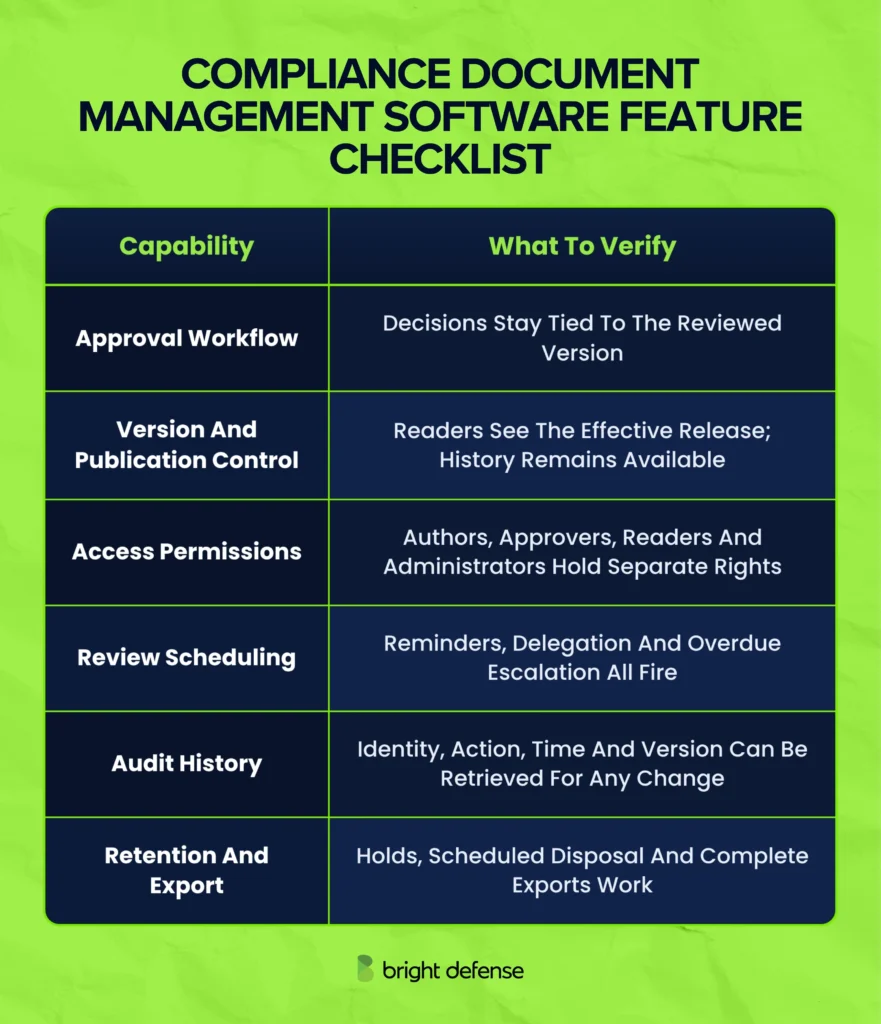
Run the demonstration on one of your own document types, in this order:
- Submit a draft for approval
- Approve the fixed version
- Attempt to edit it after approval
- Check which version an ordinary employee sees
- Export the content with its approval history
The export decides the last test. It has to carry enough context to explain the release after the subscription ends, because the evidence outlives the vendor contract. Compliance automation handles the routing and reminders inside these tools, while content owners still check accuracy and resolve conflicting instructions.
Vendor review also needs to cover where document data goes. In the same 2026 S-Docs survey cited above, 53% of leaders said security or compliance teams had raised concerns about third-party data exposure tied to document tools or vendors. Check which providers receive the files and what access they retain after the workflow ends.
For a fuller requirements list, NARA’s Universal Electronic Records Management Requirements cover the records lifecycle from capture through disposal, with the metadata and reporting each stage needs. They are written for federal agencies, and the categories transfer to any organization planning its own system.
A shared workspace can run a small program when its controls are configured and maintained: locked approved versions, preserved history, and review tasks and retention rules that fire on schedule. Dedicated tools earn their cost once more than two reviewers sit on an approval route or the register passes roughly 50 controlled documents, since manual tracking breaks down at that volume.
How Can Bright Defense Help With Compliance Document Management?
Bright Defense helps organizations develop cybersecurity policies that fit their compliance program. Its services include gap analysis and policy development. Ongoing support covers managed compliance automation and evidence lifecycle management.
This work connects written expectations to the controls assessed during an audit. For example, an access review policy needs a process employees can follow. A named owner oversees the reviews and keeps evidence of their completion.
Bright Defense’s vCISO support can help teams align their policies with business risks and compliance priorities. Remediation tracking and audit support help carry identified gaps through to corrective work.
Explore Bright Defense’s continuous cybersecurity compliance services for help managing your policies. Discuss how ongoing support can keep your compliance records current.
Frequently Asked Questions
1. Can an Email Serve as Document Approval?
An email can support an approval record when the applicable process accepts it. Save the exact attachment or fixed version reference. Keep the sender’s decision and timestamp so the record shows who approved that content.
2. Can the Same Person Write and Approve a Policy?
That depends on the organization’s approval rules and applicable requirements. Small teams may combine responsibilities. Independent review provides another check when a document carries significant security or legal consequences.
3. Does Every Document Need an Electronic Signature?
The required approval method depends on the obligations that apply to the document. Check your internal procedure before selecting a method. A workflow decision may be sufficient for one process, while another requires a particular form of signature.
4. How Do You Handle an Urgent Procedure Change?
Use a defined emergency route with an authorized decision-maker. Record what changes and when it takes effect. Notify affected staff.
Assign a deadline for follow-up review. Incorporate the change into the normal controlled document after that review.
5. How Do You Manage Documents From Vendors?
Keep the issuer’s name and the document’s version or report identifier. Record its issue date and the period it covers. Restrict access to confidential material.
Set a refresh date where needed. Keep older reports when they support a past vendor assessment, even after a replacement arrives.
6. How Do You Keep Translated Policies Consistent?
Connect each translation to the approved source version. Assign a qualified reviewer to check that it preserves the meaning. When the source changes, identify the translations that need updating and coordinate their release.
7. Can AI Help Write Compliance Documents?
AI can help prepare a draft or summarize revisions. A responsible reviewer still needs to verify the requirements. That person must confirm that the instructions match actual operations.
Use approved tools with appropriate protections for confidential information.
8. What Happens if an Old Approval Record Is Missing?
Record the gap and investigate the available evidence. If approval cannot be verified, obtain a new decision using the actual date. Assess whether the missing approval affected earlier work.
Do not backdate approval or present an unverified event as proven.
9. How Much Document Access Does an Auditor Need?
Provide the documents and supporting records relevant to the assessment. Match them to the systems and period under review. Give the auditor restricted access for the time needed, or supply controlled exports.
Preserve version identifiers and approval history so the evidence remains understandable.
10. Which Metrics Help Monitor Document Management?
Track overdue reviews and documents without active owners. Monitor approval turnaround times and unresolved findings.
Check a sample of effective documents against current operations. Completed workflow tasks alone cannot show whether instructions remain accurate.