Microsoft Outage Sparks Global Chaos

Updated:
November 14, 2026
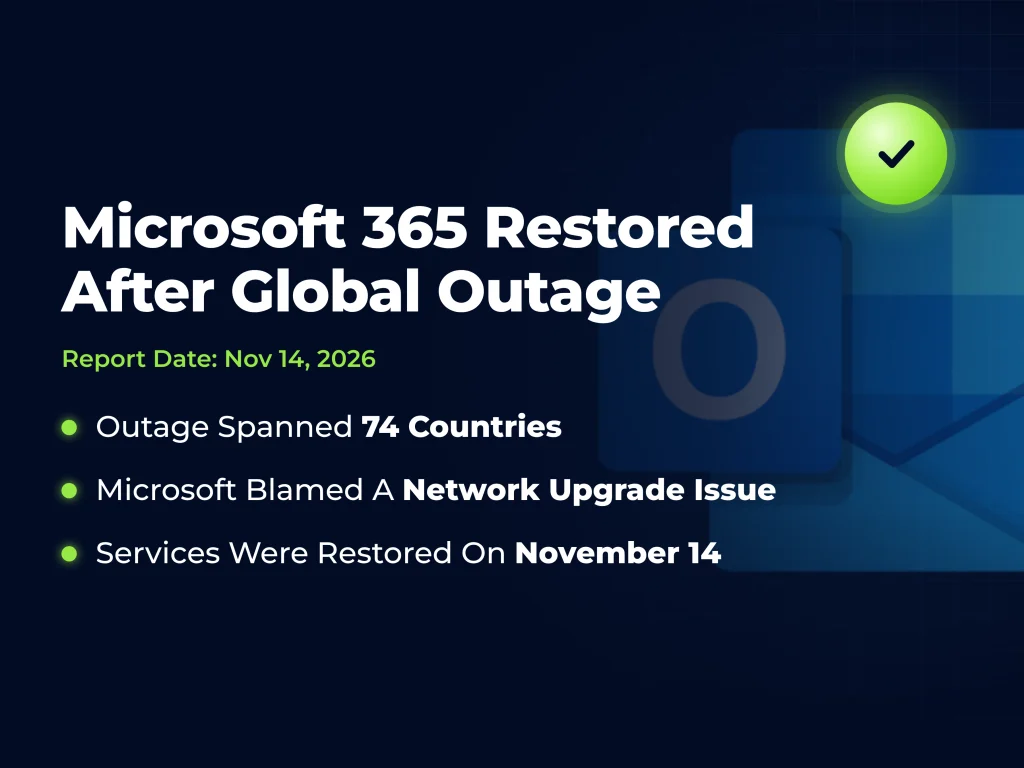
Microsoft says it restored service to the remaining affected customers and regions on November 14, 2026, ending a global Microsoft 365 outage that began on November 12. The disruption interrupted government operations, healthcare communications, court proceedings, and business activity.
Microsoft attributes the incident to a problem introduced during an earlier network capacity upgrade that surfaced after a subsequent network change. The company says the outage was a technical failure unrelated to a cyberattack or artificial intelligence agents.
Downdetector received reports from 74 countries and territories within roughly an hour of problems emerging. That figure describes the geographic reach of user reports. Microsoft has not confirmed a total affected-user count.
What Happened During the Microsoft 365 Outage?
The outage interrupted access to Exchange Online, Microsoft’s cloud email and calendar service. Problems also affected functions in Outlook, Teams, Copilot, and other Microsoft products that depend on the same underlying services.
For affected organizations, the failure reached beyond missing email. Employees struggled to arrange meetings, receive customer requests, and complete work that relies on shared calendars or connected applications.
The disruption began during the U.S. workday on Thursday and continued into Friday’s business hours in Asia and Europe. Recovery progressed unevenly across customers.
Microsoft said unavailable servers increased the load on remaining infrastructure. The overload did not result from an increase in overall customer traffic.
Microsoft Outage Timeline
The following timeline summarizes the outage and recovery from November 12 to November 14:
| Date | Development |
|---|---|
| November 12, 2026 | Exchange Online access problems emerged, followed by broader reports involving Microsoft 365. Microsoft investigated unavailable servers and redistributed traffic. |
| November 12, 2026, Later in the Day | Early recovery efforts delivered limited relief. Some restarted servers became unresponsive again after receiving traffic. |
| November 13, 2026 | Microsoft reported improving service availability and email delivery. Some customers still experienced intermittent access or delayed messages. |
| November 13, 2026, Later Updates | Microsoft identified the earlier network upgrade issue and said the underlying problem had been addressed. Recovery and backlog processing continued. |
| November 14, 2026 | Microsoft announced that service had been restored to the remaining affected customers and regions. |
The duration and severity varied across customers.
What Caused the Microsoft Outage?
According to Microsoft’s incident updates, a recent network change exposed a problem introduced during an earlier capacity upgrade. Some servers appeared healthy after restarting but became unresponsive when traffic returned.
Microsoft paused deployments and configuration changes while investigating. Engineers also redirected traffic and worked to restore affected servers.
Microsoft restored service gradually to validate stability at each stage. Its planned post-incident report should explain the cause and measures to prevent recurrence. The initial account does not explain why existing checks missed the problem.
Which Microsoft Services Were Affected?
Exchange Online was central to the disruption, but its connections to other products expanded the operational impact. The following table separates reported problems from functions that remained available:
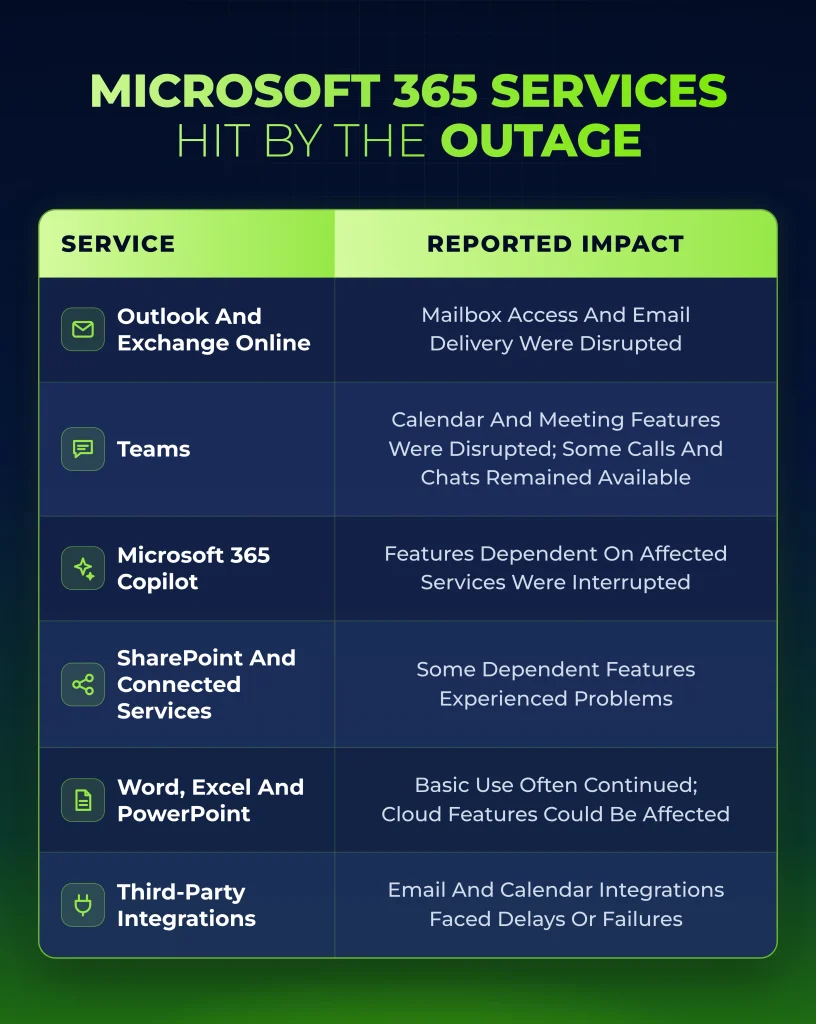
Microsoft’s broader advisory also identified Microsoft Defender XDR among potentially affected services. Organizations should check the tenant advisory for the affected features; the advisory does not establish that endpoint protection failed across all customers.
How Did the Outage Affect Public Services and Businesses?
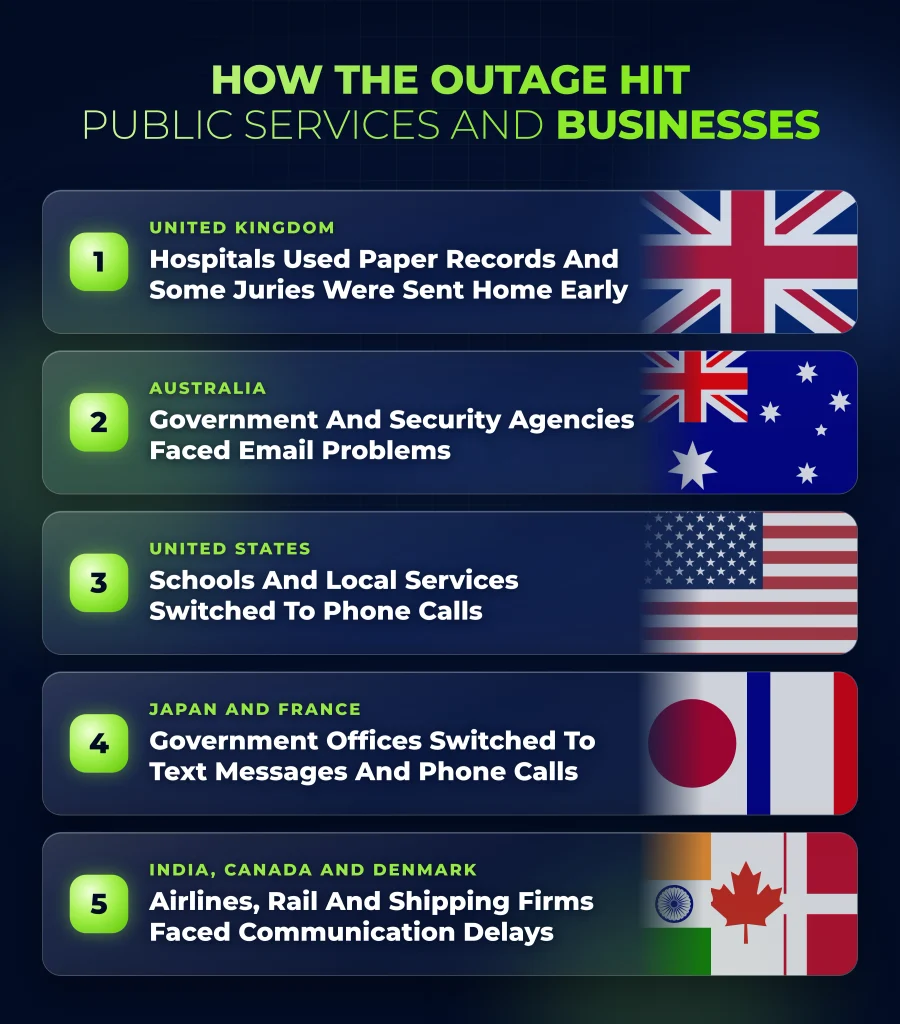
The outage disrupted healthcare, courts, government communications, and commercial operations. The following five areas illustrate the reported impact:
1. Healthcare and Courts in the United Kingdom
Hospital staff turned to paper records, while pharmacy communications with medical practices encountered delays. A union also reported a serious impact on ambulance services.
The court system experienced disruption as well. Some juries were sent home early, and some prisoners were not brought to court. Staff at Manchester’s Minshull Street Crown Court searched for a fax machine to maintain communications.
2. Government and Security Agencies in Australia
Australian councils, schools, courts, and federal agencies reported email problems. The Australian Federal Police and the Australian Security Intelligence Organisation were among the affected organizations.
ASIO Director-General Mike Burgess said the agency was partly affected.
3. Schools and Local Services in the United States
Some school districts asked parents to use telephone calls or alternative applications. Staff at the U.S. House of Representatives also described lost working time.
In Colorado, Arapahoe County’s detention facility could not accept online bond payments during part of the disruption. People seeking immediate release for detainees were directed to make payments in person.
4. Government and Business Operations in Asia and Europe
Japan’s government experienced email disruption, with some staff using text messages. Sagawa Express could not accept some online reservations, while pharmaceutical company Taisho handled orders by telephone.
Government agencies in several European countries reported problems. In France, one municipality asked residents to call instead of emailing.
5. Businesses and Transport Providers
Workhorse Group postponed its third-quarter earnings release and conference call because of the outage. The call moved from November 12 to November 16, 2026, at 4:30 p.m. Eastern Time.
Reuters reported that Euronext experienced email problems, Aviva used backup arrangements for earnings communications, and Maersk warned customers about delayed updates.
IndiGo and Akasa Air reported email support problems without reporting a shutdown of flight operations.
Rail passengers also faced communication delays. VIA Rail directed customers toward alternative travel updates, while Britain’s National Rail experienced ticket-email issues. The Rail Delivery Group said it had not received reports of disruption to train services or operations.
Was Customer Data Stolen or Exposed?
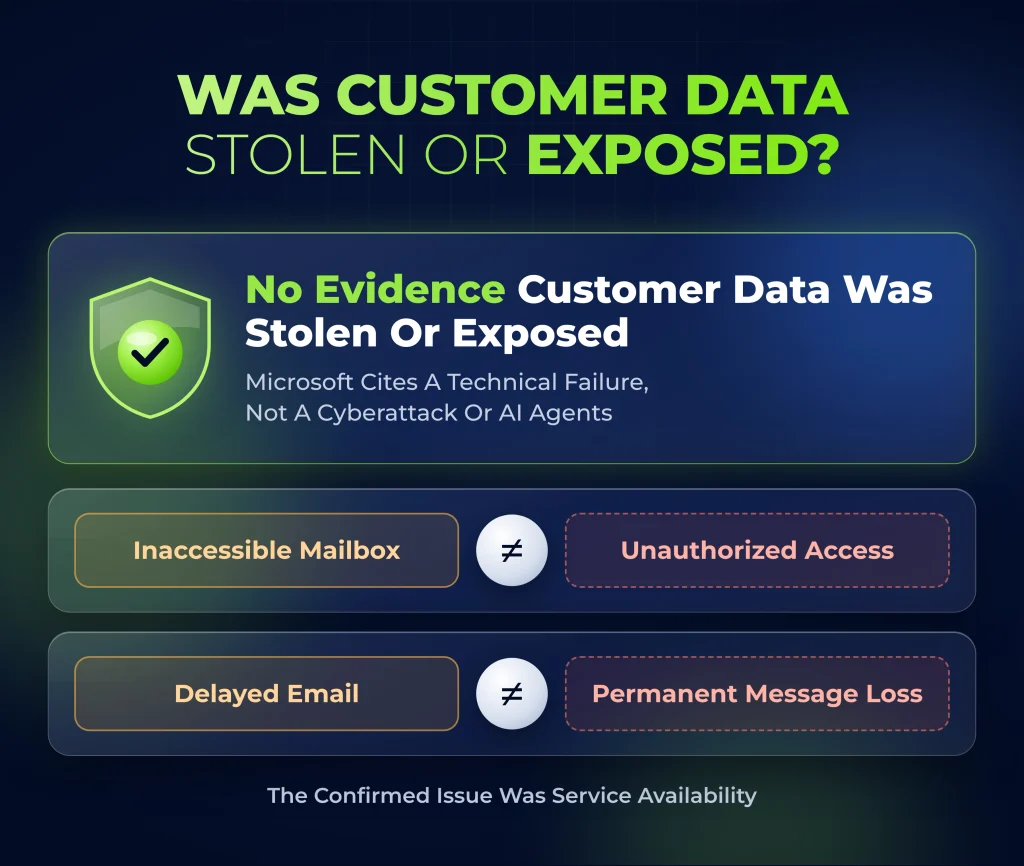
The available reporting does not establish that customer data was stolen or exposed. Microsoft attributes the outage to a technical failure unrelated to cyber activity or AI agents.
The confirmed issue concerns service availability: users lost access or experienced delayed processing. An inaccessible mailbox does not establish unauthorized access, and delayed email does not establish permanent message loss.
How Much Could the Outage Cost?
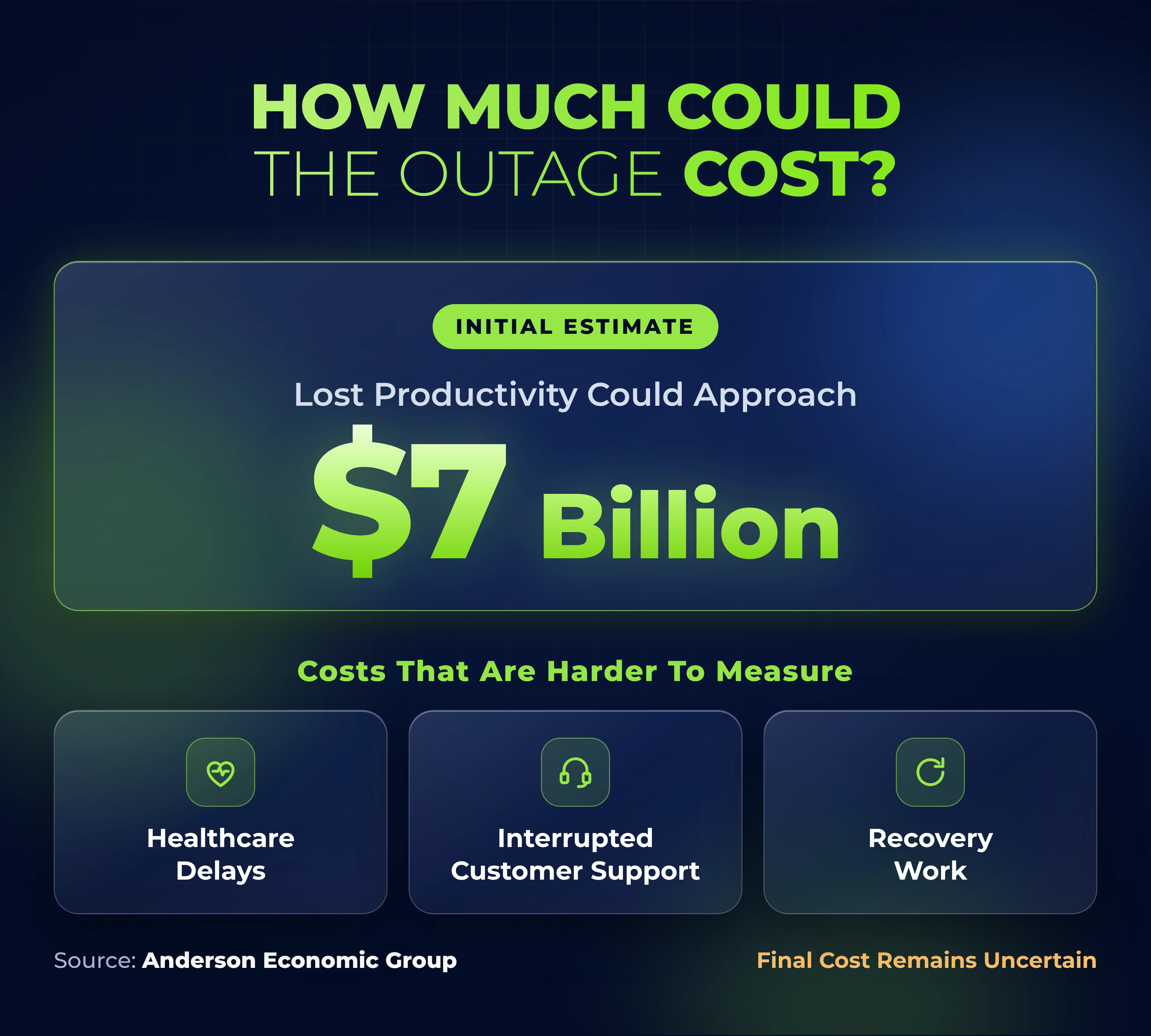
CNN’s November 13 coverage cited an initial Anderson Economic Group estimate that lost productivity could approach $7 billion.
The figure is a preliminary productivity-loss estimate. Costs varied because some employees could continue working through alternative tools, while others could not complete essential tasks. Healthcare delays, interrupted customer support, and recovery work add consequences that are difficult to measure consistently.
The final cost remains uncertain.
What Does the Incident Mean for Business Continuity and Compliance?
The incident highlights how a single provider can support several business functions at once. Email, meeting coordination, and connected applications may appear to be separate tools while sharing an underlying dependency.
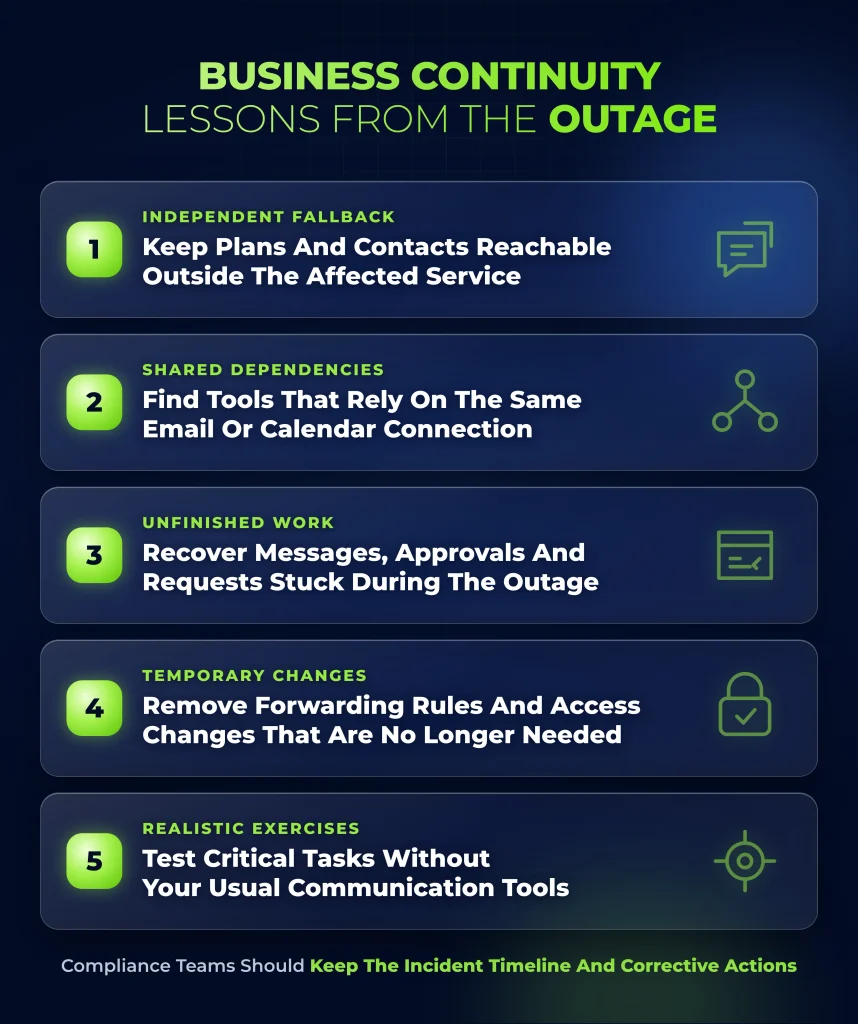
The following five actions help organizations prepare for a shared service failure and check that essential work resumes:
1. Communication Plans Need an Independent Fallback
Keep response plans, essential contact details, and approved communication alternatives accessible outside the affected service. The fallback must be suitable for the information being shared; sending sensitive records through unapproved personal accounts creates additional risk.
2. Vendor Reviews Need to Include Shared Dependencies
Buying several applications does not necessarily provide independence. A support platform, scheduling tool, and customer portal may all depend on the same Microsoft email or calendar connection.
Vendor reviews should identify shared dependencies and the business processes that could fail together.
3. Recovery Needs to Include Unfinished Work
Restored access is only part of recovery. Organizations also need to identify messages, approvals, and customer requests that accumulated during the outage.
Nigeria’s national computer emergency response team advised organizations to verify delayed email delivery and check dependent applications for incomplete processing.
4. Temporary Changes Need Review
Review temporary forwarding rules, alternative accounts, and access changes introduced during the outage. Preserve incident records and remove arrangements that no longer have a business need.
5. Continuity Exercises Need Realistic Failure Scenarios
Test whether staff can complete critical tasks without their usual communications tools and verify delayed work afterward.
Penetration testing identifies exploitable weaknesses within an agreed scope. Continuity exercises and recovery testing address how operations respond when a provider becomes unavailable.
Compliance teams should retain the incident timeline, response decisions, and assigned corrective actions to document lessons and track improvements.
How Bright Defense Can Help
Bright Defense’s continuous cybersecurity compliance service includes risk assessments and business continuity planning. These activities can help organizations review critical dependencies and prepare a documented response to service interruptions.
To review your organization’s readiness, explore Bright Defense’s continuous cybersecurity compliance services.
Frequently Asked Questions
1. Is Microsoft 365 Working Again?
Microsoft announced full restoration on November 14, 2026. For remaining problems, ask your IT team to check incident MO1550821 in the Microsoft 365 admin center and investigate the affected function.
2. Did the Microsoft Outage Expose My Emails or Password?
Available reporting does not establish that emails or passwords were exposed. Microsoft describes the cause as a technical infrastructure failure unrelated to cyber activity or AI agents.
3. Should I Resend Emails Sent During the Outage?
Check delivery failures and confirm receipt of urgent messages before resending them. Microsoft worked through delayed email queues during recovery, so some messages may already have arrived. Resending everything without checking can create duplicate instructions or transactions.
4. Do I Need to Change My Password Because of This Outage?
The reported cause does not establish that passwords were stolen. Follow your organization’s account-security process if you see suspicious sign-ins or believe you entered credentials into a fraudulent recovery message. A password reset does not resolve this type of provider outage.
5. What Is the Most Useful Step My Business Can Take Now?
Review a critical workflow, record what stopped and how staff responded, and identify unfinished tasks. Use the findings to update and test the continuity plan.
Sources
- The Guardian: Microsoft Says Services Fully Restored After Global Outage, November 14, 2026
- CNN: Microsoft Global Outage Live Coverage, November 12–13, 2026
- Microsoft: Public Service Health Dashboard
- THERS Account Help Center: Incident MO1550821 and Microsoft Recovery Updates
- BleepingComputer: Microsoft 365 Outage and Technical Recovery Updates
- Workhorse Group: Earnings Release and Conference Call Postponement
- Reuters: Microsoft Outage Eases After More Than a Day, November 13, 2026
- ngCERT: Global Microsoft 365 Service Disruption Advisory
- NTS and OIT: System Status and Microsoft Incident Updates