What is Evidence Collection in Compliance?

Updated:
October 28, 2026
Evidence collection in compliance is the process of gathering records that show how your organization meets applicable requirements. These records let auditors check whether employees follow policies and security controls work as intended.
An access control policy explains when departing employees lose access. An offboarding ticket and account deactivation log show whether that happened on time. Collecting those records as work happens reduces the need to reconstruct events when an audit begins.
The challenge is keeping evidence complete and easy to retrieve across different systems. In this article we’re going to explain what evidence to collect, how to organize it, and where automation can reduce manual work.
Let’s find out!
Key Takeaways
- Evidence collection documents how an organization meets compliance requirements
- Common evidence includes policies, system logs, training records, and test results
- Each record must match the control, systems, and assessment period
- Collecting records as work happens reduces last-minute evidence requests
- Automation supports recurring collection, while human review checks completeness
- Secure storage and retention rules keep evidence protected and available
What Is Evidence Collection In Compliance?
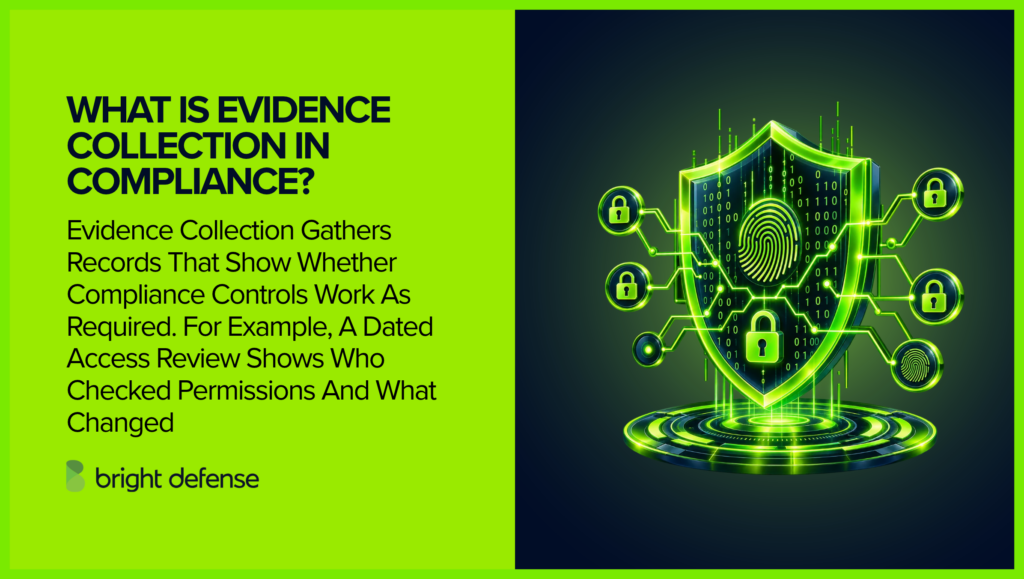
Evidence collection is the process of gathering and retaining records that show how an organization meets applicable compliance requirements. It connects each requirement to the work performed, giving reviewers a basis for assessing whether controls operate as intended.
The process starts with deciding what a control needs to demonstrate. Your team then collects records from the systems or people performing that work. Each record needs enough context to show which activity it supports and when that activity occurred.
For example, a manager checks whether an employee still needs access to company systems. The manager records the review as compliance evidence. This record shows who checked the access and which permissions were removed.
What Is Compliance Evidence?
Compliance evidence is the information used to evaluate whether an organization meets a requirement. It can describe how a control is designed or show how it operates in practice.
Common examples include:
- Approved policies: Explain the rules employees follow and who is responsible for them.
- System configurations: Show settings such as MFA enforcement or logging.
- Activity logs: Record events such as sign-ins and account removals.
- Training records: Show who completed required training and when.
- Review and testing results: Capture access reviews, recovery tests, or vulnerability assessments.
- Corrective action records: Track how a team resolves findings and verifies the changes.
The value of evidence depends on what it demonstrates. A training policy describes expectations. Completion records show whether assigned employees finished the training.
Evidence needs to match the systems and period under review. A current configuration screenshot may support a check of today’s settings. An assessment covering several months may require historical records showing how the control operated throughout that period.
Obtaining evidence on time remains a practical challenge. In a July 2026 survey of 201 security and compliance practitioners, 42.8% named obtaining the required technical evidence in time among their biggest audit preparation bottlenecks.
What Types Of Evidence Demonstrate Compliance?
Compliance evidence shows what your organization requires and whether employees follow those requirements. The records you need depend on the controls being assessed and the period under review.
These eight evidence types provide a starting point for collecting records from everyday business activities.
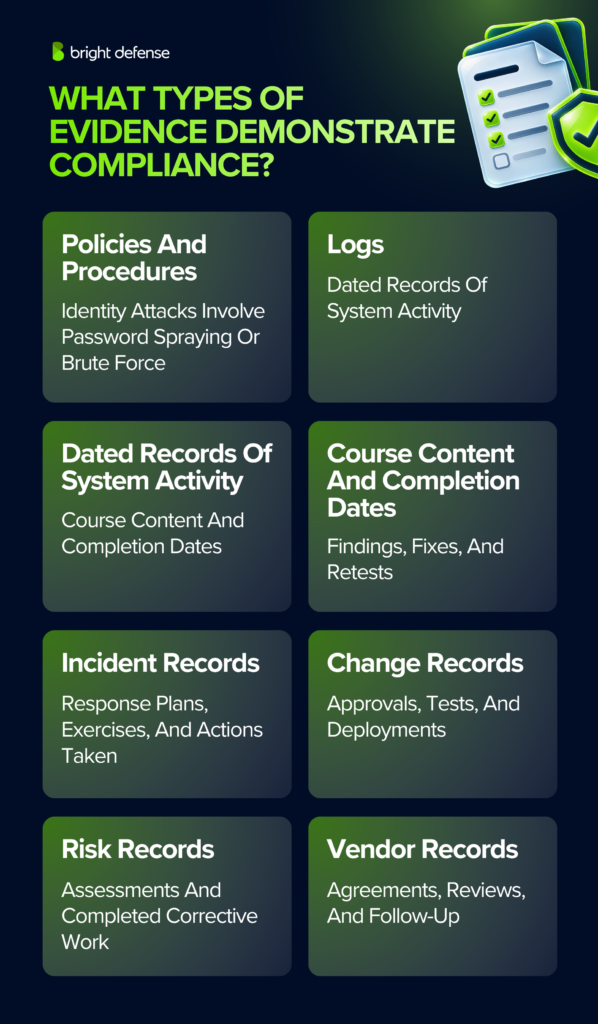
1. Policies And Standard Operating Procedures
Policies explain the rules your organization follows. Procedures describe how employees carry out those rules. Together, they give auditors a reference for evaluating actual practices.
For organizations preparing for a SOC 2 examination, SOC 2 policies and procedures provide the written expectations that collected evidence helps auditors evaluate.
Keep approved versions with their approval dates and owners. Retain earlier versions when they apply to the assessment period. Policy acknowledgment records can show that employees received and accepted the rules relevant to their work.
Example: Your company requires employees to use a password manager. The approved policy explains the requirement, and acknowledgment records show which employees accepted it.
2. Audit Trails And System Logs
Logs record activity within your systems. They can show when someone signed in, changed a setting, or removed an account. Timestamps help reviewers connect these actions to specific events.
Useful evidence includes the records themselves and the settings that govern logging. Keep enough context to show which system produced each export and what period it covers.
Retention periods depend on applicable requirements and your organization’s needs. Avoid applying one retention period to every type of record.
Example: An employee leaves on Friday. An account deactivation log shows when IT disabled their access, allowing a reviewer to compare that time with the employee’s departure.
3. Employee Training Records
Training records show whether employees completed the instruction required for their roles. A useful record connects each employee to a course and its completion date.
Keep the training materials alongside completion records so reviewers can see what employees learned. Track overdue assignments and the actions taken to resolve them. Quiz results can provide additional evidence that employees understood the material.
Example: HR assigns phishing awareness training to new employees. The training report shows who completed the course and which employees still need a reminder.
4. Testing And Validation Results
Testing records show whether a security measure works when checked. Examples include vulnerability assessments, penetration tests, and backup restoration tests.
A useful report explains what was tested and how the test was performed. It records the results and any limitations. Findings need follow-up records showing what changed and whether a later check confirmed the fix.
Example: IT restores a customer database from a backup. The test record shows whether the restoration succeeded and how long it took.
5. Incident Response Plans And Exercise Records
An incident response plan explains how your team handles a security incident. It names the people responsible and describes when an issue needs escalation.
Exercise records show how the team practices those instructions. Records from actual incidents capture the response and its outcome. Keep follow-up tasks so reviewers can trace improvements through to completion.
Example: Your team practices responding to a stolen laptop. The exercise notes show who took action and whether the team knew how to disable the device’s access.
6. Change Management Records
Change management evidence shows how your organization reviews changes before they affect live systems. The policy explains the process. Individual change records show whether the team followed it.
A change ticket can contain the request and its approval. Attach testing results and a record of deployment. For emergency changes, retain the reason for the exception and the review completed afterward.
Example: A developer updates the customer login page. The change ticket shows that another team member approved the update and that testing took place before deployment.
7. Risk Assessments And Remediation Records
Risk assessments explain which threats could affect your organization and how serious their consequences could be. They provide a basis for deciding which safeguards need attention.
Keep the assessment results and the decisions made in response. Each corrective task needs an owner and a target date. Completion records let reviewers check whether the organization followed through.
Example: A risk assessment finds that an old server no longer receives security updates. IT creates a replacement task and keeps the installation record when the new server goes live.
8. Third-Party Agreements And Vendor Reviews
Third-party evidence shows how your organization evaluates vendors that handle sensitive information or support important services. Contracts describe each party’s responsibilities.
Vendor review records show how your team assessed the supplier before approval. Depending on the service, these records may include security questionnaires or independent assurance reports. Retain the review decision and any follow-up work.
Example: Your company selects a cloud storage provider. The vendor file contains the signed agreement and your team’s review of the provider’s security controls.
Why Is Compliance Evidence Management Important?
Compliance evidence management keeps records organized and available for review. It gives your team a reliable way to show what happened and check whether required work was completed.
These five benefits show how managing evidence supports audit preparation and everyday compliance work.
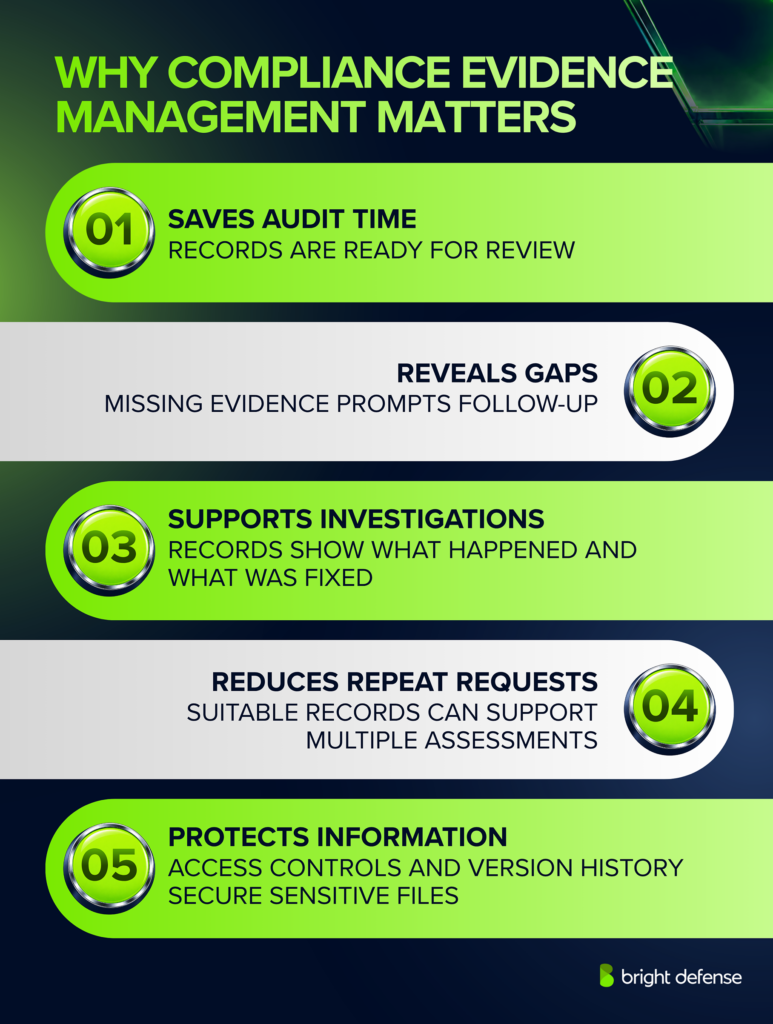
1. Reduces Audit Preparation Work
In Pentest-Tools.com’s July 2026 survey of 201 security and compliance practitioners, 50.7% cited getting time and input from technical teams as an audit preparation bottleneck. Collecting records as work happens reduces dependence on urgent requests to those teams.
A reviewer can retrieve a completed access review without asking IT to reconstruct it from old emails. Clear labels and dates make the record easier to assess. Keeping these records available supports audit readiness throughout the assessment period.
2. Makes Missing Work Easier To Spot
An evidence tracker can reveal an overdue review or an incomplete test. This gives the control owner a chance to investigate before an assessment begins.
A missing training record may mean an employee missed the course. It may mean the completion record was never saved. Checking the gap reveals which problem needs attention.
3. Supports Investigations And Follow-Up
Reliable records help teams reconstruct events during an investigation. Logs show when an action occurred, while approval records explain who authorized it.
Corrective action records preserve what the team changed afterward. Reviewers can then check whether the fix addressed the original issue.
4. Reduces Repeated Evidence Requests
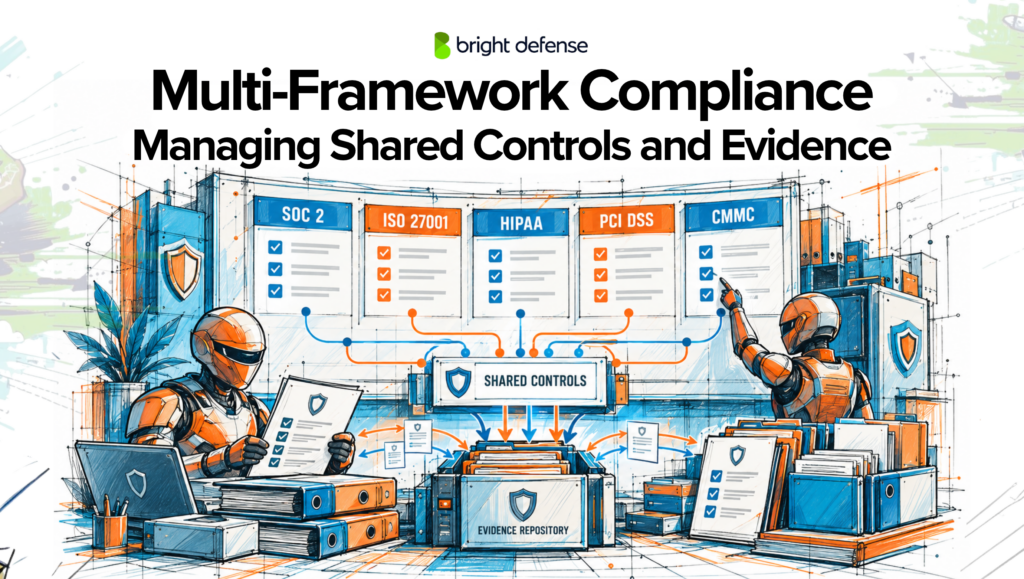
In the same survey, 25.9% of respondents recreated documentation for the same evidence for each framework. Linking an existing record to the requirements it supports can reduce that repeated preparation.
Reuse depends on what the record covers. Your team still needs to check that its systems and dates match the requirements of each assessment.
5. Protects Sensitive Audit Information
Evidence can contain employee details or information about security weaknesses. A controlled repository limits who can view or change those records.
Access permissions and secure sharing protect the files during review. Backups and version history reduce the risk of losing records or overwriting information needed for an assessment.
What Are The Best Practices For Compliance Evidence Management?
A practical evidence management process makes records easy to collect and useful during review. These five steps cover the work from defining a request through protecting and retaining the records.
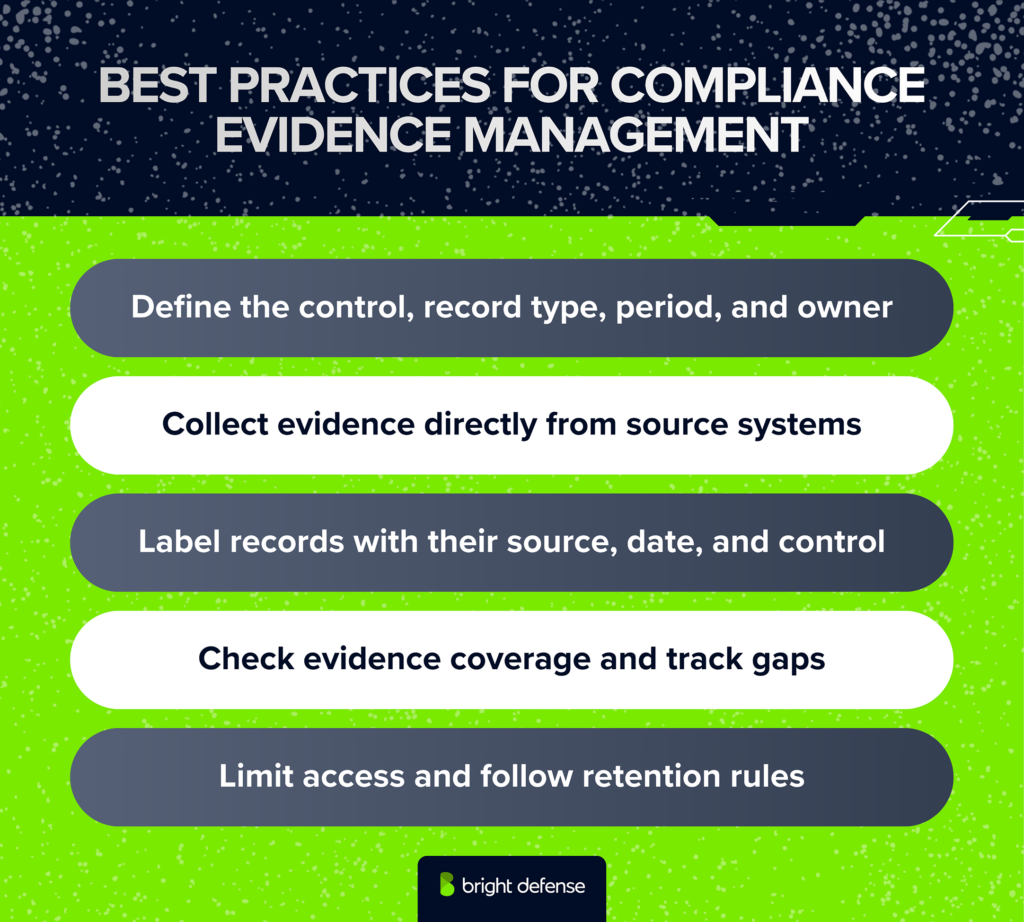
1. Define What Each Evidence Request Needs To Show
Connect every request to a specific control or requirement. Explain what the evidence needs to demonstrate and which period it must cover.
Give the request an owner and a deadline. Specify the records needed so the person responsible can provide a complete response.
Example: For an employee access review, request the completed review and any resulting permission changes. These records show who checked the access and what action followed.
Thoropass’s 2026 State of Audit and Compliance Report surveyed 536 InfoSec leaders, and 91% resubmit audit evidence at least occasionally because of miscommunication or shifting auditor expectations. Each resubmission sends the control owner back to the source system for a second export. Confirming the period and record type with the auditor before collection begins cuts that rework at the request stage.
2. Collect Evidence From The Right Source
Collect evidence from the system or person responsible for each activity. Training platforms provide completion records, while IT tickets document account removals and the approvals behind them. Interviews add context about how a process works, but those explanations need support from completed records or direct observation.
Automate recurring evidence collection where integrations provide reliable records, and assign manual tasks for activities such as management reviews or incident exercises. Collecting records as work happens supports continuous compliance and reduces last-minute requests.
Example: A platform automatically collects device encryption settings. The IT owner uploads a separate record showing how the team handled devices that failed the check.
3. Store Evidence With Dates And Source Context
Keep evidence in a controlled shared repository. Record its source and collection date, including the period covered when applicable.
Use consistent filenames and link each record to its control. A filename such as AC-02_Employee-Access-Review_2026-Q3makes the activity and period easy to recognize.
Preserve original exports and their filters. Keep related records connected so reviewers can follow an activity through to completion.
Example: A vulnerability scan links to the remediation ticket and retest result. Together, they show the original weakness and whether the fix worked.
4. Review Evidence Before Marking It Complete
Check that each submission answers the request. Confirm that the file is readable and covers the correct systems and period.
Review what the evidence reveals about the control. A complete test report may show a failure that requires corrective work. Track that finding and retain the follow-up results.
A monthly check of overdue requests provides a practical starting point. Adjust the schedule to match how frequently each activity occurs.
Example: A backup restoration test fails. The reviewer records the finding, and IT supplies the corrective action record and results from the next test.
5. Protect Records And Apply Retention Rules
Limit evidence access according to job responsibilities. Records may contain employee information or details about security weaknesses.
Share files through a controlled workspace and review external access when an assessment ends. Remove unnecessary sensitive information from sharing copies while preserving the originals securely.
Set retention periods according to applicable obligations and assessment needs. Maintain backups and pause deletion when records are needed for an investigation or legal hold.
Example: An auditor receives access to the files needed for the engagement. The repository owner removes that access when the review is complete.
Manage And Maintain Compliance With Bright Defense
Bright Defense helps organizations collect the evidence needed for compliance assessments and keep it current between audits. Our continuous compliance services combine expert guidance with managed automation to reduce repetitive collection work.
We review your controls and organize evidence from connected systems. For activities that require manual records, we work with your team to clarify what to collect and who owns the task. This gives employees a clearer process for supplying evidence throughout the year.
When reviews uncover gaps, we support remediation and track the work needed before an assessment. Organizations pursuing SOC 2 and ISO 27001 can coordinate shared evidence while keeping each engagement’s requirements visible.
Talk to Bright Defense about making evidence collection part of your ongoing compliance program.
Frequently Asked Questions
1. What Counts As Compliance Evidence?
Compliance evidence is information that helps a reviewer assess whether a requirement is being met. Examples include approved policies, system logs, and completed review records. The record needs to connect to a specific activity. A training completion report, for example, shows which employees finished an assigned course and when.
2. Are Screenshots Acceptable As Compliance Evidence?
Yes. Screenshots can show system settings or the status of an activity at a particular time. Include enough context to show the application and the setting being checked. For recurring activities, historical logs or reports may provide stronger support. A screenshot taken today cannot demonstrate that a setting remained active throughout the previous year.
3. Does Having A Policy Prove That We Follow It?
A policy shows the rules your organization has approved. Records of completed work show how employees follow those rules. For example, an offboarding policy explains when access must be removed. Account deactivation logs show when the removal actually happened.
4. Can Evidence Collection Be Fully Automated?
Automation can collect configuration settings, account activity, and other records from connected systems, but its coverage depends on available integrations and access permissions. Management decisions and incident exercises often require manual documentation. Only 4% of the 253 InfoSec leaders in RegScale’s 2026 State of Continuous Controls Monitoring Report have reached full end-to-end automation. A practical approach starts with automating system-generated records and assigning clear owners to evidence that requires human judgment. Your team must still review the collected evidence to confirm that it answers the request.
5. How Can I Collect Evidence From Cloud Services?
Use the cloud provider’s reports, configuration exports, or activity logs. A compliance platform may retrieve these records through an integration. Give the integration only the permissions it needs. Check which accounts and services it covers, then confirm that collection is working. Keep credentials and secret keys out of evidence files.
6. How Often Do I Need To Collect Evidence?
Match collection to the activity being assessed. Save an approval when the decision occurs. Collect an access review record when the review is completed. For evidence that changes frequently, schedule exports or use automated collection. Confirm that the resulting records cover the assessment period.
7. How Long Do I Need To Keep Compliance Evidence?
The retention period depends on the requirements that apply to your organization and the purpose of the record. Different evidence types may need different schedules. Set a retention rule for each category. Include a process for pausing deletion when records are needed for an investigation or legal hold.
8. Can I Use The Same Evidence For More Than One Framework?
Yes, when the record supports the requirements being assessed. One completed access review may support both SOC 2 and ISO 27001 work. Check the systems and dates covered before reusing it. Record which requirements it supports and any additional evidence needed for each assessment.
9. What Happens When Evidence Is Missing Or Incomplete?
Check whether the activity occurred and whether a reliable record exists elsewhere. A missing upload may be recoverable from the original system. When the activity was not completed, record the gap and assign corrective work. Be clear about what the available evidence demonstrates. Avoid recreating historical records in a way that suggests they existed earlier.
10. Are There Standards For Collecting Compliance Evidence?
The applicable framework or regulation determines what your organization needs to demonstrate. The assessment method influences how reviewers evaluate the records. Confirm evidence expectations early, including the scope and period covered. Maintain records that are traceable to their source and complete enough for a reviewer to understand.