10 Types of Penetration Testing Every Organization Should Know
Updated:
October 12, 2026
Penetration testing uses authorized simulated attacks to identify exploitable weaknesses and evaluate security controls within an agreed scope.
Different types focus on specific targets, including networks, applications, cloud environments, physical facilities, and employee responses to social engineering.
The right assessment depends on the systems involved, the information they handle, and the attack scenarios an organization needs to evaluate.
Tests can be scheduled as individual engagements or delivered through Penetration Testing as a Service (PTaaS), a platform-based model that supports on-demand testing, collaboration with testers, and remediation tracking.
This guide explains ten common types of penetration testing, what each examines, and when each is useful.
Types of Penetration Testing
Penetration testing comes in many forms, each targeting different parts of your environment. The following 10 types simulate real-world attacks to reveal security gaps and help reduce risk:
Penetration Testing Types Comparison Table
| Penetration Testing Type | Purpose and Targets | Common Weaknesses Evaluated | Example Tools and Equipment | Typical Testing Triggers |
|---|---|---|---|---|
| Network Penetration Testing | Assess internal or external network defenses across servers, workstations, network devices, and exposed services. | Testers evaluate vulnerable services, weak credentials, excessive privileges, insecure remote access, and ineffective segmentation. | Tools include Nmap, Nessus, Metasploit, and Wireshark. | Schedule testing according to risk and applicable requirements, with additional assessments after significant network changes. |
| Web Application Penetration Testing | Evaluate websites and web applications, including authentication, business workflows, and server-side functions. | Testers examine injection flaws, cross-site scripting, broken access controls, session weaknesses, and business logic errors. | Tools include Burp Suite, ZAP, and browser developer tools. | Test before launch and after significant changes to authentication, authorization, payment flows, or sensitive data handling. |
| Client-Side Penetration Testing | Assess security within browser-executed code and installed desktop applications, according to the agreed scope. | Browser testing covers DOM-based vulnerabilities and unsafe storage. Desktop testing can cover exposed secrets, insecure updates, and local privilege issues. | Tools include browser developer tools, Burp Suite, Ghidra, and application debuggers. | Test new clients and significant changes to local storage, update mechanisms, browser functionality, or operating-system integration. |
| Wireless Penetration Testing | Assess wireless access points, authentication, connected clients, and separation between wireless networks. | Testers evaluate weak authentication, insecure configurations, rogue access points, and inadequate guest-network isolation. | Tools include Kismet, Aircrack-ng, and Wireshark. | Test after wireless deployments, office moves, authentication changes, or network redesigns. |
| Social Engineering Testing | Evaluate how employees and business processes respond to authorized phishing, impersonation, and other manipulation attempts. | Tests examine weak identity verification, inappropriate disclosure, unsafe approval processes, and delayed reporting. | Tools include approved phishing simulation platforms, controlled email accounts, and telephone testing resources. | Schedule exercises according to risk and repeat them after incidents or significant changes to helpdesk, payment, or identity-verification procedures. |
| Physical Penetration Testing | Evaluate access to buildings, restricted rooms, equipment, and sensitive documents. | Testers examine unsecured entrances, ineffective visitor checks, badge-system weaknesses, and gaps in detection or response. | Equipment can include access-card testing devices, approved lock-testing tools, and cameras for documenting findings. | Test after facility moves, access-control changes, or security incidents, with recurring assessments based on site risk. |
| API Penetration Testing | Assess application programming interfaces (APIs), including REST, GraphQL, and SOAP services. | Testers evaluate broken object-level authorization, excessive data exposure, authentication flaws, injection, and insufficient resource-use limits. | Tools include Burp Suite, ZAP, Postman, and Insomnia. | Test new endpoints, integrations, permission models, and significant changes to API functionality or data exposure. |
| Mobile Application Penetration Testing | Assess Android and iOS applications, local data handling, platform interactions, and supporting APIs. | Testers examine insecure storage, exposed secrets, weak authentication, improper certificate validation, and unsafe interprocess communication. | Tools include MobSF, Frida, Burp Suite, and platform-specific debugging utilities. | Test before release and after significant changes to authentication, payments, sensitive storage, or backend communication. |
| Cloud Penetration Testing | Assess customer-controlled cloud workloads, identities, storage, applications, and trust relationships. | Testers evaluate excessive permissions, exposed storage, leaked credentials, insecure workloads, and exploitable connections between services. | Tools can include cloud command-line utilities, Burp Suite, and assessment tools such as Prowler or ScoutSuite. | Test after migrations, major architecture changes, new external integrations, or significant identity and permission changes. |
| IoT Penetration Testing | Assess Internet of Things (IoT) devices, firmware, hardware interfaces, communications, and supporting services. | Testers examine hardcoded credentials, exposed debug interfaces, insecure updates, weak communications protection, and vulnerable firmware. | Tools include Binwalk, Ghidra, serial adapters, and logic analyzers. | Test before product release and after significant firmware, hardware, communications, or backend changes. |
1. Network Penetration Testing
Network penetration testing uses authorized attack simulations to identify exploitable weaknesses in network infrastructure and assess their potential impact.
Testers examine agreed targets such as servers, firewalls, routers, switches, printers, and workstations. The assessment determines whether weaknesses could allow unauthorized access, privilege escalation, or movement between connected systems.
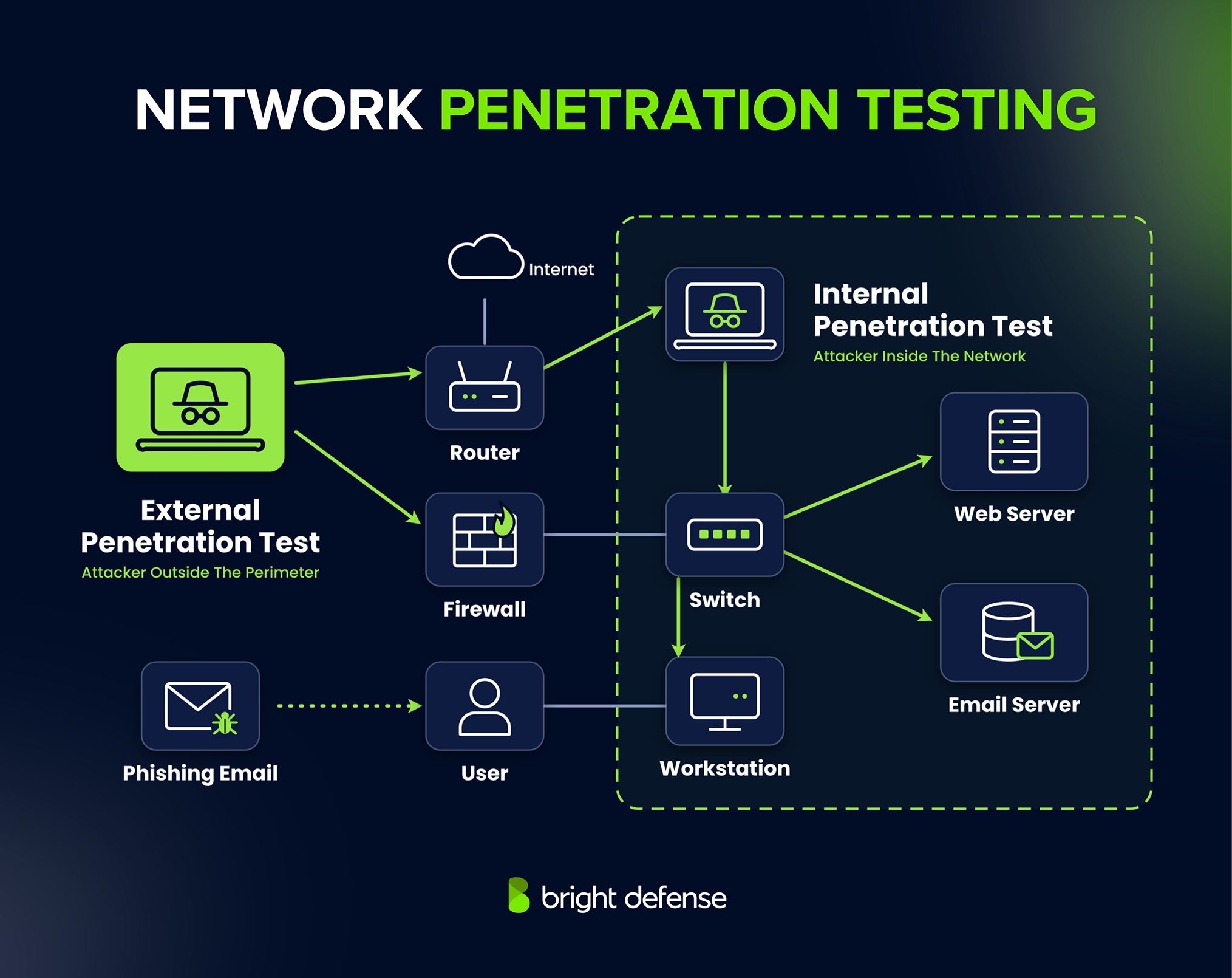
Network pen testing can be divided into two parts: external network penetration testing and internal network penetration testing.
External and Internal Testing
Network penetration testing uses two main perspectives to evaluate different attack scenarios.
- External Network Testing: Testers assess internet-facing systems, including VPN gateways, public servers, and remote access services. The objective is to determine whether an attacker outside the organization could gain unauthorized access.
- Internal Network Testing: Testers begin from an agreed position inside the network, such as a standard employee account or a connected test device. They assess opportunities to gain higher privileges, move between systems, and reach sensitive information. This approach can simulate a compromised account, device, or malicious insider.
The scope determines the starting access and information provided to testers. Read the comparison of internal and external penetration testing for a closer explanation of these approaches.
Wireless Network Considerations
Wireless testing can form part of a network assessment when explicitly included in scope. It examines Wi-Fi authentication, encryption, access-point configuration, and separation between guest and internal networks.
Testing wireless signals generally requires equipment within radio range or an authorized onsite testing device. Remote management of that equipment does not remove the need for local wireless access.
Common Vulnerabilities Evaluated
Network assessments examine weaknesses that could expose services, credentials, or connected systems.
- Permissive Firewall Rules: Unnecessary access paths can expose sensitive services.
- Unnecessary or Vulnerable Services: Exposed services can increase risk when they lack appropriate protection or contain exploitable flaws.
- Weak Authentication: Default passwords, reused credentials, and inadequate access restrictions can permit unauthorized entry.
- Insecure Remote Access: Poorly configured remote administration services can expose privileged access.
- Weak Encryption: Outdated protocols or incorrect certificate validation can compromise communications.
- DNS Misconfigurations: Unrestricted zone transfers can disclose internal infrastructure details.
- Ineffective Segmentation: Insufficient separation can allow movement from ordinary workstations to sensitive systems.
- Missing Security Updates: Unpatched software and device firmware can leave known vulnerabilities exploitable.
An open port alone does not establish a vulnerability. Testers assess the listening service, its configuration, and its accessibility before determining risk.
Tools Commonly Used
Network penetration testers use the following tools to identify exposed services, assess vulnerabilities, and validate security weaknesses.
- Nmap identifies reachable hosts, open ports, and exposed network services.
- OpenVAS scans for known vulnerabilities, missing patches, and configuration weaknesses.
- Metasploit Framework supports controlled exploitation and validation of selected vulnerabilities.
- Nessus Professional performs vulnerability scans and configuration assessments across network assets.
- Burp Suite Professional supports testing of web applications and administrative interfaces included in the assessment.
- Aircrack-ng supports Wi-Fi security assessments when wireless testing is included in scope.
When to Perform Network Penetration Testing
Annual testing is a practical planning baseline, with additional assessments after significant infrastructure changes, new remote access services, or network redesigns. Higher-risk environments can require more frequent testing.
Applicable PCI DSS requirements call for internal and external penetration testing at least annually and after significant changes. ISO/IEC 27001 uses a risk-based approach and does not impose a universal annual penetration-testing schedule.
External and internal assessments provide different coverage. Organizations should select their scope according to exposure, sensitive assets, contractual requirements, and the attack scenarios they need to evaluate.
Get Trusted Penetration Testing By Bright Defense Run a Pen Test2. Web Application Penetration Testing
Web application penetration testing uses authorized attack simulations to identify exploitable weaknesses in websites, portals, dashboards, and web-based services.
Testers examine authentication, access controls, session management, input handling, and business logic to determine whether an attacker could access restricted information or perform unauthorized actions.
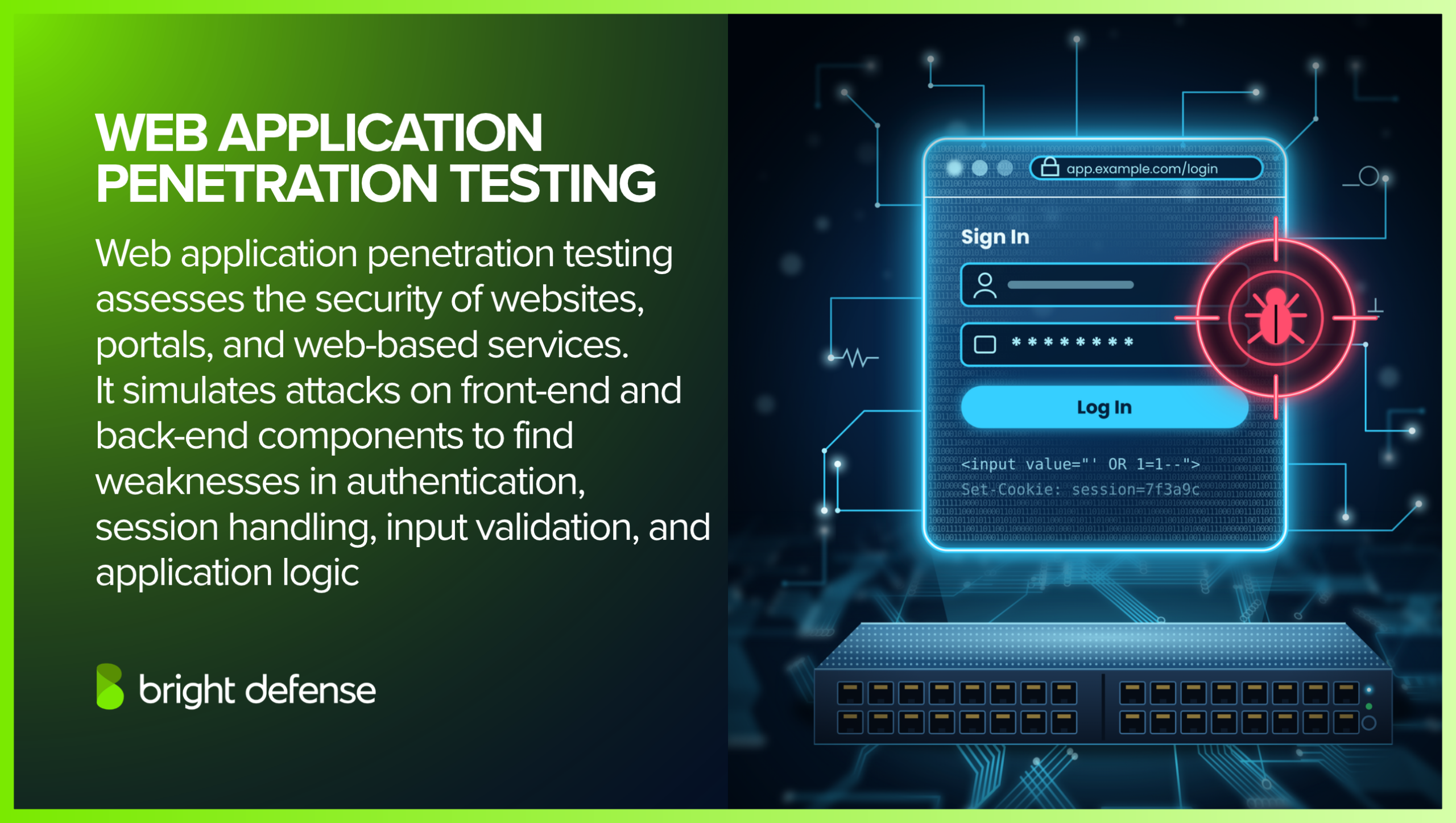
The assessment covers agreed browser-side and server-side components. Testing with different user roles helps reveal weaknesses that unauthenticated scanning can miss, including access to another customer’s records or administrative functions.
OWASP’s Web Security Testing Guide provides a structured reference for these assessment areas.
Common Targets and Testing Scope
The scope identifies the application functions, user roles, and supporting interfaces included in testing.
- Web Interfaces: Testers assess login forms, search functions, file uploads, account settings, and administrative dashboards.
- Browser-Side Components: Testing examines scripts, browser storage, messaging, and interactions with external content.
- Application Programming Interfaces: Connected REST, SOAP, and GraphQL APIs are assessed when included in the engagement.
- Business Workflows: Testers evaluate processes such as purchases, approvals, password resets, and account recovery.
- Server-Side Functions: Testing examines application behavior, database interactions, and access to backend resources.
- Source Code: White-box engagements can include code review to support investigation of implementation weaknesses.
Common Vulnerabilities Evaluated
Web application testing examines technical weaknesses and failures in application-specific rules.
- SQL Injection: Unsafe database queries can allow unauthorized access to or modification of stored information.
- Cross-Site Scripting (XSS): Untrusted content can execute as script in a user’s browser.
- Broken Access Control: Missing permission checks can expose another user’s records or restricted functions, including through insecure direct object references.
- Authentication and Session Weaknesses: Flaws in login, account recovery, or session handling can enable account compromise.
- Server-Side Request Forgery (SSRF): Attacker-controlled requests can cause the application server to contact unintended resources.
- Cross-Site Request Forgery (CSRF): Inadequate protections can allow a logged-in user’s browser to submit unintended actions.
- File-Handling Weaknesses: Unsafe uploads, file inclusion, or path traversal can expose files or enable code execution.
- Business Logic Flaws: Incorrect workflow enforcement can permit payment manipulation, approval bypasses, or misuse of account privileges.
Security headers and deployment settings are reviewed in context. Findings should explain their practical impact, including the conditions required for exploitation.
Tools Commonly Used
Testers combine automated tools with manual investigation to assess application behavior and validate findings.
- ZAP provides an open-source intercepting proxy, automated scanning, and support for manual web testing.
- Nikto checks web servers for exposed files, outdated components, and common configuration weaknesses.
- Wapiti crawls applications and tests inputs for vulnerability patterns without examining source code.
- Burp Suite Professional supports traffic interception, request manipulation, automated scanning, and manual vulnerability validation.
- Invicti Web + API, formerly Acunetix, provides dynamic application security testing for web applications and APIs.
When to Perform the Test
Testing should follow application risk, development activity, and applicable obligations. Common triggers include:
- Before Launch: Assess a new application before it begins handling production data.
- After Significant Changes: Review major changes to authentication, permissions, integrations, payments, or sensitive data processing.
- On a Recurring Schedule: Set a testing cadence based on exposure, data sensitivity, and release frequency.
- After Remediation: Retest corrected vulnerabilities to confirm that the fixes address the original findings.
Applicable PCI DSS requirements call for penetration testing at least annually and after significant changes. ISO/IEC 27001 uses a risk-based approach and does not establish a universal quarterly or annual penetration-testing interval.
Why It Matters
Web applications connect user accounts, sensitive information, and business processes. Penetration testing shows how weaknesses could affect those connections and provides evidence for prioritizing corrective work.
Its value depends on covering relevant workflows, fixing identified issues, and verifying the corrections.
3. Client-Side Penetration Testing
Client-side penetration testing evaluates security weaknesses in software running on a user’s device, including desktop applications and browser-executed code.
Testers examine how applications handle untrusted input, store sensitive information, communicate with servers, and interact with the operating system.
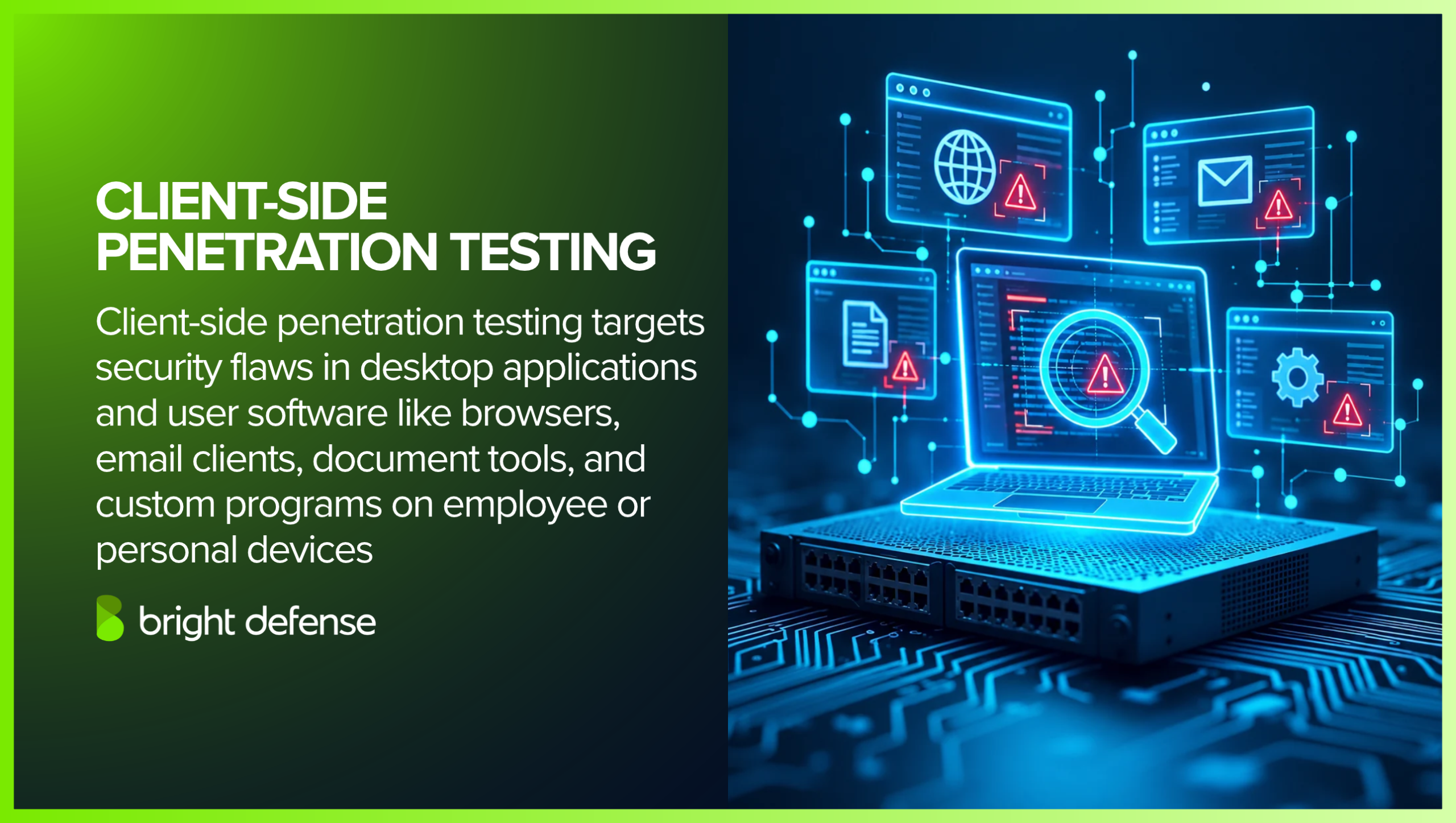
The term covers related but distinct assessment scopes. Desktop application testing examines installed software and local security controls.
Browser-side testing examines scripts, storage, and interactions within web applications. OWASP provides separate guidance for thick-client applications and browser-side web testing.
What It Targets
The engagement should identify the applications, operating systems, user permissions, and integrations included in testing.
- Custom Desktop Applications: Testers assess business software, including applications built with frameworks such as Electron or .NET.
- Browser-Side Components: Testing examines JavaScript, browser storage, extensions, and embedded web content.
- Email and Document Applications: Assessments examine relevant configurations and how applications process untrusted attachments, documents, or links.
- Communication and Collaboration Clients: Testing evaluates local data handling, authentication, and connections to supporting services.
- Installation and Update Components: Testers review how applications install software, verify updates, and manage elevated permissions.
Common Vulnerabilities
The weaknesses assessed depend on whether the scope covers desktop software, browser-side functionality, or both.
- Insecure Local Storage: Credentials, session tokens, or sensitive records remain accessible in files, logs, or application settings.
- Client-Side Authorization Checks: The application relies on local restrictions that the server does not independently enforce.
- Unsafe Input Handling: Untrusted input reaches commands, file operations, or document-processing functions without appropriate validation.
- Insecure Update Mechanisms: Weak verification allows unauthorized modification of application updates.
- Excessive Local Privileges: Application components or writable resources expose opportunities for privilege escalation.
- Weak Communications Security: Improper certificate validation or unprotected connections expose sensitive traffic.
- Browser-Side Injection: Document Object Model-based cross-site scripting, HTML injection, or unsafe messaging permits unintended browser behavior.
- Unsafe Cross-Origin Access: Incorrect Cross-Origin Resource Sharing settings can expose responses to unauthorized websites.
User interaction can be part of an attack scenario, but some weaknesses are exploitable through existing local access or application communications without a phishing attempt.
Tools Commonly Used
Testers select tools according to the application platform and assessment objectives.
- Burp Suite supports inspection and manipulation of HTTP and HTTPS traffic between clients and supporting services.
- Frida supports runtime instrumentation to observe application behavior during testing.
- Ghidra supports reverse engineering and analysis of compiled application code.
- Process Monitor records Windows file-system, Registry, and process activity to help investigate local application behavior.
- BeEF supports authorized browser-focused attack simulations and assessment of client-side exposure.
Controlled test environments help testers reproduce findings and observe application behavior without exposing production data unnecessarily.
Why and When to Test
Client-side testing helps identify weaknesses that affect locally stored data, application integrity, and access to connected services. Useful testing points include:
- Before Deployment: Assess new desktop applications before distributing them to employees or customers.
- After Significant Changes: Review changes to authentication, local storage, update mechanisms, or operating-system integration.
- During Recurring Assessments: Set the schedule according to application exposure, data sensitivity, and business importance.
- After Relevant Incidents: Investigate application weaknesses associated with a compromise and validate corrective work.
- After Remediation: Retest findings to confirm that fixes address the demonstrated weakness.
Social engineering simulations and endpoint security assessments can complement this work when included in the agreed scope.
4. Wireless Penetration Testing
Wireless penetration testing evaluates whether weaknesses in Wi-Fi infrastructure, authentication, and connected devices could permit unauthorized access or expose sensitive communications.
Testers examine access points, client configurations, and network separation within an agreed scope.
Wireless signals can extend beyond a building’s physical boundaries, allowing nearby attackers to interact with exposed infrastructure. Signal availability alone does not establish a vulnerability.
The assessment determines whether authentication, encryption, and access restrictions adequately protect the network.
Scope of Testing
A wireless assessment defines the locations, networks, devices, and permitted activities included in testing.
- Access Points and Controllers: Testers review configurations, management access, and relevant firmware weaknesses.
- Client Devices: Testing examines how laptops, phones, and other authorized devices connect to wireless networks.
- Authentication and Encryption: Assessments evaluate WPA2 or WPA3 configurations, shared-password security, and enterprise authentication.
- Guest and Device Networks: Testers check whether guest users and connected devices remain separated from sensitive systems.
- Radio Coverage: Testing identifies where signals are accessible and how that exposure affects risk.
- Unauthorized Access Points: Assessments check for unapproved devices and weaknesses in their detection.
Common Weaknesses Evaluated
Wireless testing examines configuration and access-control weaknesses rather than treating every detectable network as insecure.
- Obsolete Security Settings: Legacy encryption such as WEP provides inadequate protection.
- Weak Shared Passwords: Predictable or widely shared credentials can expose network access.
- Incorrect Certificate Validation: Enterprise Wi-Fi clients that do not properly validate authentication-server certificates can trust an unintended server.
- Overreliance on MAC Filtering: Device addresses can be copied, so address allowlists should not serve as the sole authentication control.
- Ineffective Segmentation: Guest or device networks can provide unintended access to internal resources.
- Unsecured Management Interfaces: Exposed administration services or weak administrator credentials can permit configuration changes.
- Unsafe Client Connections: Device settings can allow connections to unauthorized or impersonated networks.
Tools Commonly Used
Testers select software and hardware according to the wireless technologies and scenarios included in scope.
- Aircrack-ng supports wireless packet capture and assessment of WEP and WPA/WPA2 pre-shared-key security. Its capabilities do not imply universal decryption of protected Wi-Fi traffic.
- Kismet detects wireless networks and devices and supports passive monitoring.
- Wireshark analyzes captured packets to investigate protocol behavior and communications.
- Bettercap supports wireless reconnaissance and authorized network attack simulations.
- Wifite2 automates selected wireless assessment workflows using compatible tools and adapters.
- WiFi Pineapple provides dedicated hardware for wireless reconnaissance and controlled access-point impersonation scenarios.
Compatible wireless adapters and an onsite testing computer may be required. Tool effectiveness depends on supported frequency bands, drivers, network configurations, and the protections being assessed.
When to Perform the Test
Wireless testing should follow a risk-based schedule and significant changes to the environment. Common testing points include:
- After Deployment: Assess new access points, controllers, and wireless networks.
- After Configuration Changes: Review changes to authentication, encryption, guest access, or segmentation.
- After Office Moves: Evaluate the new location’s coverage, neighboring networks, and access arrangements.
- After Relevant Incidents: Investigate suspected wireless access and verify corrective actions.
- During Recurring Security Reviews: Reassess controls as devices, threats, and business requirements change.
Remote delivery requires authorized equipment at the location within radio range of the target network. Internet access to the tester’s equipment does not remove that proximity requirement.
Why It Matters
Wireless penetration testing shows whether a wireless connection could provide access beyond its intended permissions.
Findings help teams correct authentication weaknesses, improve separation between networks, and verify detection of unauthorized activity.
Joining Wi-Fi does not automatically bypass firewalls or other controls; testing establishes which protections remain effective.
Get Trusted Penetration Testing By Bright Defense Run a Pen Test5. Social Engineering Testing
Social engineering testing uses authorized deception scenarios to evaluate how employees, business procedures, and security controls respond to manipulation.
Assessments examine whether an attacker could obtain sensitive information, influence an approval, or gain unauthorized access through a trusted interaction.
The scope can cover staff awareness, identity verification, helpdesk procedures, and incident reporting. Broader engagements can examine whether technical safeguards prevent a deceptive interaction from becoming a compromise.
CISA assessments demonstrate how phishing outcomes depend on factors such as account privileges and authentication controls.
Common Testing Methods
Testers select scenarios according to business risks and agreed objectives. The information provided to them varies by engagement; social engineering testing does not require a particular black-box, grey-box, or white-box approach.
- Email Phishing: Controlled messages test whether recipients recognize suspicious requests, avoid unsafe actions, and report concerns.
- Vishing: Simulated voice calls assess identity verification and responses to requests for information or account changes.
- Smishing: Controlled text messages evaluate reactions to deceptive links, notifications, and urgent requests.
- Pretexting: Fabricated business scenarios test whether established procedures hold under plausible explanations or pressure.
- Impersonation: Testers pose as approved simulated identities, such as vendors or support staff, to assess verification practices.
- Tailgating: Authorized physical scenarios evaluate whether entry procedures prevent someone from following an employee into a restricted area.
Pretexting and impersonation can appear across several channels. Reviews of discarded documents concern physical security and information disposal and should be explicitly included when relevant.
Tools Commonly Used
Tools support different objectives, from employee awareness exercises to controlled testing of authentication defenses.
- Gophish provides an open-source platform for creating phishing simulations, scheduling campaigns, and recording recipient interactions.
- KnowBe4 provides commercial security awareness training, attack simulations, and reporting capabilities.
- Evilginx supports adversary-in-the-middle phishing simulations that assess exposure involving login credentials and session cookies.
- Modlishka provides reverse-proxy functionality for controlled phishing and authentication-security assessments.
The selected tool should match the assessment’s purpose. An awareness campaign and an authentication attack simulation measure different aspects of security.
How to Measure Results
Useful findings explain where verification, reporting, or protective controls failed and what corrective action is needed.
- Reporting Behavior: Measure whether employees report suspicious activity through the expected channel.
- Response Time: Record how quickly reports reach the responsible security team.
- Verification Practices: Check whether staff follow identity checks and approval procedures.
- Control Performance: Evaluate whether relevant email, authentication, or endpoint protections interrupt the scenario.
- Remediation Progress: Repeat suitable scenarios after training or process changes to assess improvement.
Click rates require context. NIST’s Phish Scale research shows that results vary with message difficulty and how closely the scenario matches the recipient’s work. A lower click rate alone does not establish stronger security.
When to Perform the Test
Testing should follow a risk-based schedule and changes to sensitive business processes. Useful testing points include:
- During Awareness Programs: Assess whether employees can apply training to realistic situations.
- After Process Changes: Review revised helpdesk, payment, account-recovery, or visitor-verification procedures.
- Following Relevant Incidents: Examine weaknesses revealed by phishing or impersonation attempts.
- After Corrective Action: Validate improvements to training, controls, and escalation procedures.
Written authorization and rules of engagement should define participants, permitted scenarios, information handling, and escalation contacts. Staff awareness can vary according to the exercise objective.
Why It Matters
Social engineering testing identifies weaknesses in how people, processes, and technology work together. Findings can guide clearer verification procedures, targeted training, better reporting, and stronger authentication.
Technical safeguards remain important: email filtering and phishing-resistant authentication can reduce exposure alongside employee education.
6. Physical Penetration Testing
Physical penetration testing evaluates whether an organization’s facilities, access controls, and staff procedures can prevent, detect, and respond to unauthorized entry. It examines doors, locks, badges, visitor screening, surveillance, and access to sensitive equipment or information.
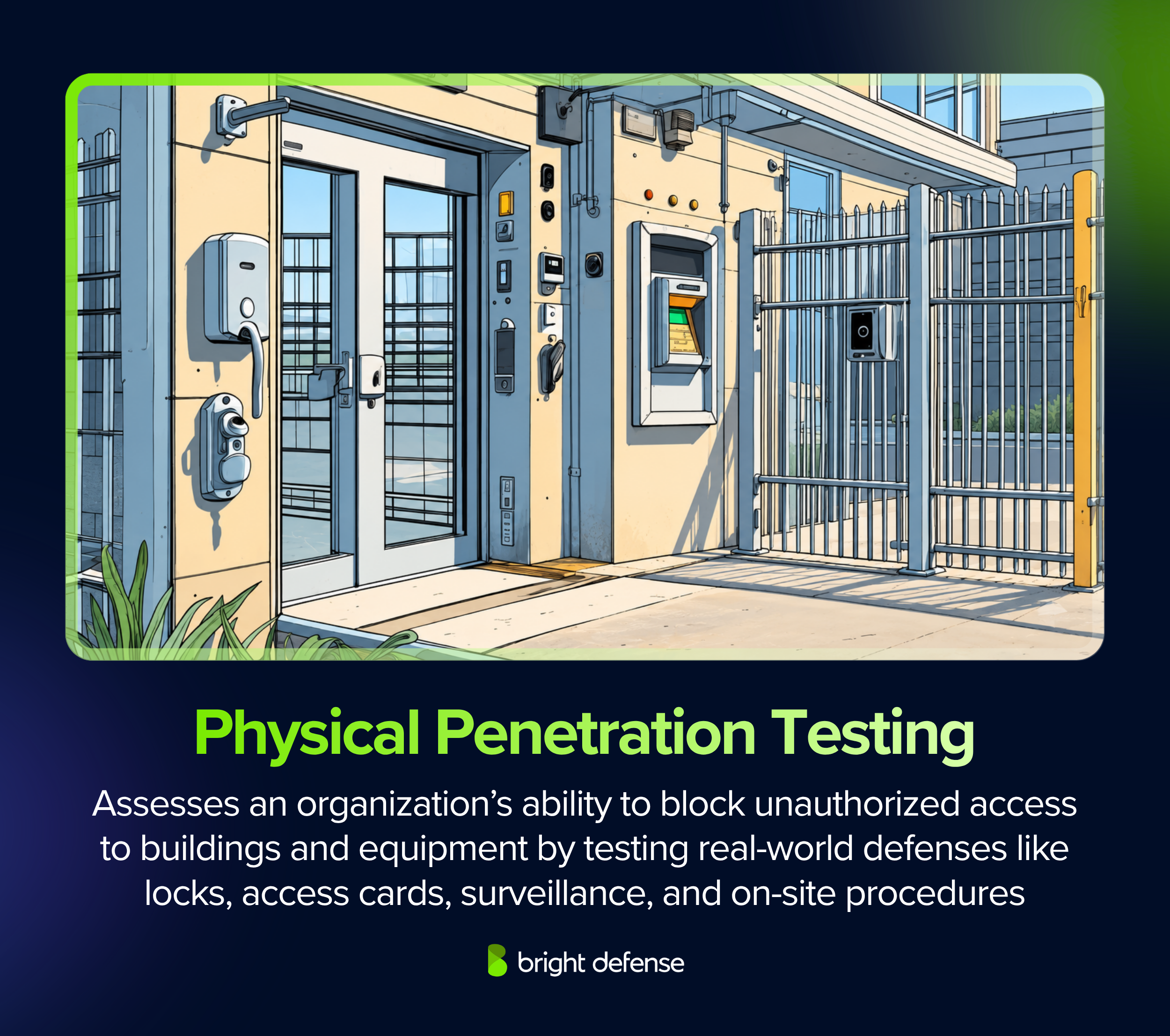
An authorized assessment can show whether someone could enter a restricted area, reach an unattended workstation, or access exposed documents. Findings help teams understand how physical weaknesses could contribute to data theft, equipment loss, or operational disruption.
What It Involves
Testing starts with written authorization and agreed rules of engagement. These define the locations, permitted techniques, testing windows, escalation contacts, and conditions for stopping the assessment.
Planning establishes how testers will document access and handle sensitive information.
Depending on the approved scope, activities may include:
- Entry-control testing: Evaluating whether reception procedures, employee entrances, and visitor checks prevent unauthorized access.
- Social engineering simulations: Testing staff responses to approved impersonation or tailgating scenarios.
- Lock and badge assessments: Examining weaknesses in physical locks and electronic access systems.
- Restricted-area testing: Assessing separation between general office space, server rooms, network closets, and storage areas.
- Asset-exposure checks: Identifying unattended workstations, accessible backup media, exposed documents, or sensitive information on whiteboards.
- Detection and response checks: Recording whether staff, guards, alarms, or monitoring teams notice and respond to attempted access.
Device placement or asset-removal simulations require explicit inclusion in the scope. Evidence should demonstrate the exposure without unnecessarily disrupting operations.
Key Weaknesses Evaluated
Physical assessments commonly examine:
- Propped-open doors and entrances without effective monitoring.
- Visitor procedures that lack identity verification or escort requirements.
- Excessive badge permissions or access that remains active after departure.
- Poor separation between public, employee, and restricted areas.
- Camera coverage gaps or alarms without a defined response process.
- Unsecured laptops, removable media, documents, and backup equipment.
- Unclear responsibilities for reporting and investigating suspicious activity.
The assessment should connect each weakness to its practical consequence, including which assets became accessible and whether the intrusion was detected.
Tools Commonly Used
Equipment depends on the approved scenarios. Examples include:
- Proxmark: Supports RFID analysis and testing of compatible access-card technologies. Cloning feasibility depends on the credential technology and its protections.
- USB Rubber Ducky: Supports controlled keystroke-injection simulations to evaluate exposure from connected USB devices.
- LAN Turtle: Supports approved scenarios examining the consequences of connecting an unauthorized device to a network.
Approved lock-testing equipment and cameras may support entry assessments and evidence collection.
When to Conduct a Physical Penetration Test
Useful testing triggers include:
- Office relocations, renovations, or changes to building layouts.
- New badge systems, visitor procedures, or security providers.
- Expansion into shared facilities or additional sites.
- Physical security incidents or repeated access-policy violations.
- Broader red team exercises involving physical access.
Set a recurring schedule according to facility risk, asset sensitivity, and operational changes.
Why It Matters
Physical access can expose systems and information that remote testing does not reach. However, gaining entry does not automatically defeat every digital safeguard. Disk encryption, for example, can protect data on lost or stolen equipment.
A useful assessment shows how building controls, employee procedures, and technical protections work together, then provides prioritized fixes and verification steps.
7. API Penetration Testing
API penetration testing evaluates whether application programming interfaces enforce authentication, access permissions, input validation, and business rules correctly.
APIs connect applications and services, often providing access to customer records, payment functions, and internal operations. Testing examines whether an attacker could misuse these connections to access information or perform unauthorized actions.
An application’s visible interface may restrict certain actions while its underlying API still permits them. API testing examines these requests directly, including interactions between users, organizations, and connected services.
What It Targets
An assessment covers the approved API endpoints, operations, and integrations within the testing scope. Common targets include:
- REST and SOAP APIs: Testers assess interfaces supporting websites, mobile applications, and business integrations.
- GraphQL APIs: Testers examine queries, mutations, field permissions, and resource limits.
- Internal service APIs: Testers evaluate authentication and authorization between backend services.
- Partner integrations: Testers assess how external connections exchange data and receive permissions.
- Older API versions: Testers check whether deprecated endpoints remain accessible with weaker protections.
An accurate inventory helps prevent coverage gaps. OWASP identifies undocumented endpoints and outdated API versions as risks associated with improper inventory management.
Common Vulnerabilities
API assessments examine access controls at the record, field, and function levels. Important weaknesses include:
- Broken Object-Level Authorization: Users can access or modify another user’s records without permission.
- Broken Authentication: Weak token validation or authentication workflows allow unauthorized access.
- Broken Property-Level Authorization: Responses expose restricted fields, or requests modify properties the user should not control.
- Broken Function-Level Authorization: Ordinary users can execute administrative or other restricted operations.
- Unrestricted Resource Consumption: Inadequate limits allow requests to exhaust computing resources or generate excessive service charges.
- Business-Flow Abuse: Automated requests exploit sensitive workflows, such as purchasing, reservations, or account creation.
- Server-Side Request Forgery: An API can be manipulated into sending requests to unintended destinations.
- Unsafe Third-Party API Consumption: Insufficient validation of external API responses introduces security weaknesses.
Testers evaluate input handling and configuration weaknesses according to the application’s architecture. Testing with different accounts and permission levels helps establish whether the API consistently enforces its intended boundaries.
Tools Commonly Used
API clients, interception tools, and scanners support different parts of an assessment:
- ZAP: Supports automated API scanning using OpenAPI definitions, SOAP descriptions, and GraphQL endpoints.
- Postman: Supports request creation, authentication configuration, response inspection, and repeatable API tests.
- Insomnia: Provides an API client for constructing and testing requests across protocols, including REST and GraphQL.
- Burp Suite Professional: Supports API scanning and manual request manipulation to investigate vulnerabilities and verify findings.
- Swagger UI: Presents interactive API documentation that helps testers understand documented operations and parameters.
Tool output requires interpretation. The assessment must connect observed behavior to the application’s intended permissions, data boundaries, and business rules.
When to Perform API Testing
A practical testing schedule includes the following points:
- Test new APIs and integrations before production release.
- Reassess significant changes to authentication, authorization, or sensitive workflows.
- Test internal services before granting external partners access.
- Include API coverage in recurring application security assessments.
- Retest corrected vulnerabilities to verify that the fixes address the original exposure.
Why It Matters
API penetration testing shows whether backend services enforce the restrictions customers and developers expect. Findings help teams correct unauthorized data access, excessive permissions, and workflow abuse.
A useful report identifies affected operations, demonstrates business impact, and provides remediation guidance with clear retest results.
Get Trusted Penetration Testing By Bright Defense Run a Pen Test8. Mobile Application Penetration Testing
Mobile application penetration testing evaluates the security of Android and iOS applications, including local data storage, authentication, platform interactions, and communication with backend services.
It identifies weaknesses that could expose sensitive information, permit unauthorized actions, or compromise user accounts.
A useful assessment combines inspection of the application’s code or compiled package with testing of its behavior while running.
The OWASP Mobile Application Security Verification Standard (MASVS) defines mobile security controls, while the Mobile Application Security Testing Guide (MASTG) provides testing guidance.
What It Involves
The scope should identify application versions, supported operating systems, user roles, and connected services. Testing commonly includes:
- Local Storage: Testers examine databases, files, caches, logs, and backups for exposed sensitive information.
- Network Communication: Testers review encryption, certificate validation, and information exchanged with remote services.
- Authentication and Sessions: Testers assess login, logout, token handling, and local authentication features such as biometrics.
- Platform Interactions: Testers examine permissions, deep links, embedded web content, and communication with other applications.
- Third-Party Components: Testers review relevant software development kits, libraries, and their data-handling behavior.
- Runtime Behavior: Testers observe how the application responds to manipulated inputs, modified execution, and unexpected conditions.
Backend API testing requires explicit coverage in the engagement. MASVS focuses on the mobile client; associated server-side services need assessment against appropriate application security requirements.
Rooted Android devices or jailbroken iOS devices can support deeper inspection. Findings should explain whether exploitation requires those conditions or affects users on ordinary devices.
Common Vulnerabilities
Mobile assessments examine weaknesses that affect data protection and access boundaries, including:
- Exposed Local Data: Sensitive records or tokens remain accessible in files, logs, backups, or caches.
- Embedded Secrets: Credentials or private keys included in the application package provide unintended access.
- Insecure Communication: Missing encryption or incorrect certificate validation exposes traffic to interception.
- Weak Session Handling: Tokens remain usable beyond their intended lifetime, or sensitive information remains accessible after logout.
- Unsafe Platform Integration: Deep links, exported components, or embedded web content expose restricted functionality.
- Improper Cryptography: Weak algorithms, insecure key storage, or incorrect cryptographic implementation undermine data protection.
Reverse engineering and missing code obfuscation do not automatically establish an exploitable vulnerability. OWASP treats resilience measures as additional protections whose relevance depends on the application’s threats and business needs.
Tools Commonly Used
The following tools support different parts of mobile application testing:
- MobSF: Provides automated static and dynamic analysis capabilities for mobile security assessments.
- Frida: Supports runtime instrumentation to observe and modify application behavior during controlled testing.
- Apktool: Decodes Android application resources and disassembles bytecode for inspection.
- JADX: Converts Android bytecode into readable Java-like code to support analysis.
- Objection: Uses Frida to support runtime exploration of Android and iOS applications.
Automated findings need manual validation. Testers must establish whether an issue is relevant to the application and demonstrate its practical impact.
When to Test
Schedule mobile penetration testing around meaningful changes and exposure:
- Test new applications before production release.
- Reassess major changes to authentication, payments, permissions, or sensitive data handling.
- Review security after significant operating-system, framework, or third-party component changes.
- Include recurring assessments in the application’s security program.
- Retest corrected vulnerabilities to verify remediation.
Why It Matters
Mobile applications connect personal devices to customer accounts and business services. Testing helps teams identify where sensitive information becomes exposed and where access restrictions fail.
The resulting report should explain affected application versions, exploitation conditions, business impact, and corrective actions.
9. Cloud Penetration Testing
Cloud penetration testing evaluates whether weaknesses in cloud-hosted applications, identities, configurations, and infrastructure can lead to unauthorized access or data exposure.
It combines configuration review with controlled attack simulations to establish which weaknesses are exploitable and what resources an attacker could reach.
Assessments can cover environments hosted on Amazon Web Services (AWS), Microsoft Azure, Google Cloud, and other platforms. The scope should identify approved accounts, subscriptions, projects, services, and testing techniques.
What It Involves
Cloud security responsibilities vary with the service model and the specific product. Customers retain responsibilities for their data, identities, and configurations, while providers manage underlying infrastructure and varying portions of the software stack.
The service model helps determine the testing scope:
| Service Model | Typical Testing Focus |
|---|---|
| Infrastructure as a Service (IaaS) | Testing examines customer-managed operating systems, applications, network rules, storage permissions, and identity controls. |
| Platform as a Service (PaaS) | Testing examines deployed code, APIs, application settings, secrets, service identities, and connections to managed resources. |
| Software as a Service (SaaS) | Customer assessments examine tenant settings, user permissions, sharing controls, and integrations. Testing the vendor’s application requires appropriate authorization. |
A cloud assessment should examine relationships between resources. For example, an exposed application may provide access to a service identity whose permissions allow access to sensitive storage.
Demonstrating that connection helps teams understand the combined impact of configuration and application weaknesses.
Common Vulnerabilities
Cloud testing evaluates weaknesses across access, workloads, and data protection:
- Unintended Public Exposure: Storage, databases, or management interfaces are accessible beyond their intended audience.
- Excessive Identity Permissions: Identity and access management (IAM) policies grant unnecessary access or create privilege-escalation paths.
- Exposed Credentials: Secrets in code, deployment files, or application settings permit unauthorized access.
- Weak Authentication: Inadequate account protection exposes administrative or sensitive functions.
- Vulnerable Workloads: Unpatched software or insecure container settings create opportunities for compromise.
- Insufficient Isolation: Network rules or trust relationships permit unintended access between environments.
Logging and alerting gaps deserve separate attention. They may not create an entry point, but they can prevent teams from detecting and investigating the activity demonstrated during testing.
Tools Commonly Used
Configuration assessment and exploitation tools serve different purposes within a cloud engagement:
- Prowler: Performs security and compliance checks across supported environments, including AWS, Azure, Google Cloud, and Kubernetes.
- ScoutSuite: Collects cloud configuration information and highlights areas that need security review.
- CloudMapper: Supports analysis and auditing of AWS environments.
- Pacu: Provides an AWS exploitation framework for authorized cloud security testing.
Configuration findings guide further investigation. A penetration test must validate relevant attack paths and explain their consequences within the agreed scope.
Cloud Provider Testing Rules
Testing permission depends on the provider, service, and activity:
- AWS permits testing of listed customer services without prior approval. Testing involving command-and-control infrastructure requires prior approval.
- Azure permits testing of authorized customer resources without Microsoft preapproval, subject to its rules of engagement.
- Google Cloud generally requires no advance notification for testing a customer’s own projects. Service-specific requirements can differ; Apigee requests advance notification.
Review the applicable rules during scoping, including restrictions that protect other customers and provider-managed systems.
When to Perform the Test
Useful testing points include:
- Test workloads before production deployment or after migration.
- Reassess significant identity, networking, storage, or application changes.
- Test new integrations and trust relationships.
- Schedule recurring assessments according to risk and applicable obligations.
- Retest corrected vulnerabilities to verify remediation.
Why It Matters
Cloud penetration testing shows how individual weaknesses can combine to expose business systems and data. Findings help teams reduce excessive permissions, restrict unintended access, and improve detection. The report should document affected resources, demonstrated impact, remediation priorities, and coverage limitations.
10. IoT Penetration Testing
Internet of Things (IoT) penetration testing evaluates the security of connected devices, their firmware, communication channels, and supporting applications.
It examines whether weaknesses could allow unauthorized control, expose sensitive information, or provide access to connected systems.
The assessment can cover sensors, cameras, wearables, smart appliances, and connected industrial equipment. Scope depends on the product’s architecture, deployment environment, and the consequences of a compromise.
What It Covers
An IoT assessment examines the device and its supporting services. The following areas help define coverage:
- Hardware Interfaces: Testers examine accessible ports, storage components, and debugging interfaces for unauthorized access to device functions or data.
- Firmware: Testers inspect embedded software, stored credentials, security settings, and update mechanisms.
- Communication Channels: Testers evaluate authentication and data protection across Wi-Fi, Bluetooth, Zigbee, cellular connections, and messaging protocols such as MQTT.
- Management Applications: Testers assess the mobile applications, web interfaces, and administrative functions used to configure or monitor devices.
- Backend Services: Testers examine approved APIs and cloud services for weaknesses in device identity, access permissions, and data handling.
- Device Lifecycle: Testers review onboarding, ownership transfer, reset, and decommissioning processes for retained access or exposed information.
These areas align with NIST guidance covering device configuration, data protection, interface access, secure updates, and cybersecurity state awareness.
Testing should establish how weaknesses interact. An exposed device credential, for example, may create wider risk when connected services grant that credential excessive permissions.
Common Vulnerabilities
IoT assessments evaluate weaknesses such as:
- Hardcoded or Shared Credentials: Embedded secrets or reused passwords permit access beyond the intended device or user.
- Insecure Firmware Updates: Devices accept unauthorized or modified software without adequate authenticity checks.
- Unprotected Communication: Sensitive information or commands travel without appropriate encryption or authentication.
- Exposed Debug Interfaces: Hardware interfaces provide unnecessary access to privileged functions or stored information.
- Weak Backend Authorization: Connected services fail to verify which devices, users, or accounts can access particular resources.
- Sensitive Data Retention: Credentials or personal information remain accessible in storage, logs, or devices transferred to new owners.
- Vulnerable Software Components: Outdated libraries and services introduce exploitable weaknesses.
NIST’s IoT baseline identifies update verification and restrictions on who can install updates as core security capabilities.
Tools Commonly Used
Tool selection depends on the device architecture, available firmware, and communication protocols:
- Firmadyne: Supports emulation and dynamic analysis of compatible Linux-based firmware. It does not emulate every IoT device or hardware configuration.
- Binwalk: Identifies and extracts embedded content from firmware images to support further inspection.
- Ghidra: Supports disassembly and decompilation of compiled software for reverse engineering.
- Wireshark: Captures and analyzes supported network traffic to examine device communications.
- Shodan: Helps identify internet-visible services associated with an organization’s approved assets. Search results provide exposure information, rather than proof of exploitation.
The OWASP IoT Security Testing Guide provides methodology and test guidance. It is a reference resource rather than an automated testing tool.
When to Perform the Test
Useful testing points include:
- Assess products during development and before release.
- Evaluate devices before deployment in sensitive environments.
- Reassess significant firmware, application, or backend changes.
- Test changes to authentication, remote management, and update mechanisms.
- Retest corrected vulnerabilities and review unsupported devices.
Industrial and other operational equipment require testing plans that account for safety, reliability, and availability. Representative laboratory devices help teams investigate disruptive scenarios without placing live operations at unnecessary risk.
Why It Matters
A compromised IoT device can expose information, accept unauthorized commands, or provide access to other resources. Testing helps determine which outcomes are possible within the deployed environment. Reports should identify affected hardware and firmware versions, required attacker access, demonstrated impact, and practical remediation options.
Get Trusted Penetration Testing By Bright Defense Run a Pen TestMethods of Penetration Testing
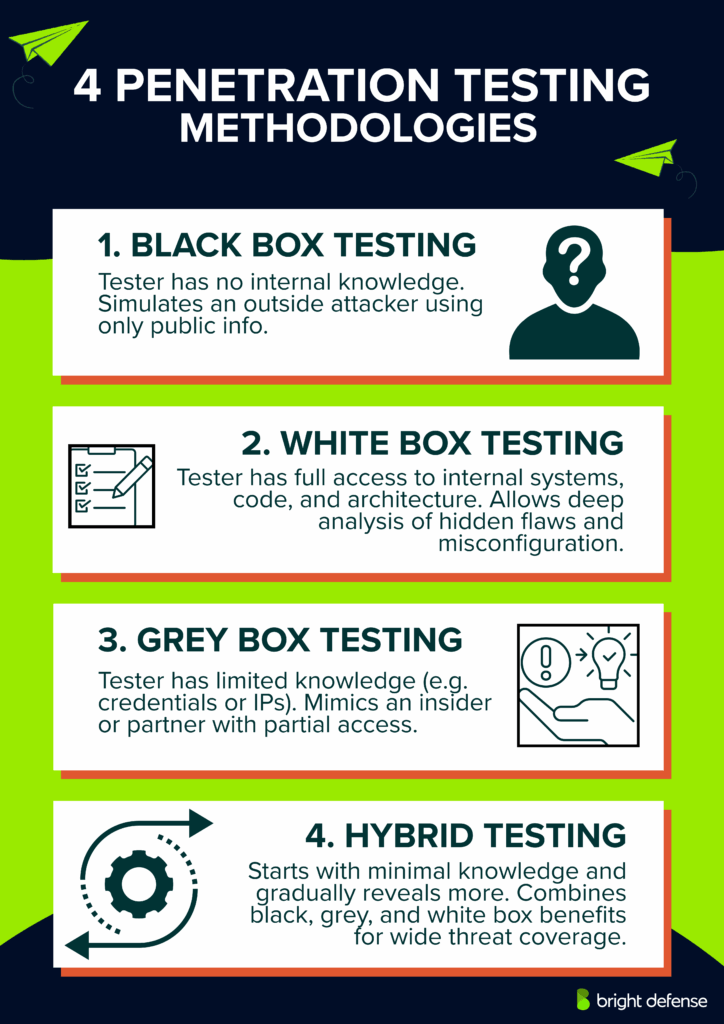
Below are the four main methods of penetration testing , Black Box, White Box, Grey Box, and Hybrid, each designed to simulate specific threat scenarios and provide distinct insights into system vulnerabilities.
1. Black Box Testing
Black box penetration testing involves simulating an attack from an outsider’s point of view. Testers have no prior access to the organization’s internal systems, source code, or infrastructure documentation.
They rely on external reconnaissance methods, including open-source intelligence (OSINT), domain name system (DNS) enumeration, network scanning, and public vulnerability databases.
The objective centers on evaluating perimeter defenses, uncovering publicly exposed assets, and identifying entry points. Common targets include firewalls, load balancers, web servers, APIs, and external portals.
Techniques such as phishing, exploitation of exposed services, and web application attacks (e.g., SQL injection, cross-site scripting) are commonly used.
Black box testing provides an accurate depiction of how a real-world attacker without privileged access would attempt to breach the environment, offering valuable insight into how effective external defenses truly are.
2. White Box Testing
In white box penetration testing, testers receive full disclosure of the organization’s technical environment.
This includes access to architecture diagrams, source code repositories, system configurations, network topology, and administrative credentials. White box testing eliminates guesswork, enabling a deep and thorough analysis of the environment.
Testers scrutinize application logic flaws, insecure coding practices, misconfigurations, and privilege escalation paths. Techniques like static code analysis, configuration review, and manual code inspection play a central role.
Because testers understand the internal workings, white box testing often reveals hidden vulnerabilities that external attacks could not expose, such as backdoors, poor cryptographic implementations, and logic errors.
It helps organizations assess risks posed by insider threats and ensures that security controls are correctly applied across systems and applications.
3. Grey Box Testing
Grey box penetration testing blends aspects of both black box and white box approaches.
Testers are provided limited information, such as user accounts with specific roles, selected network ranges, or application endpoints, simulating the conditions of an attacker with partial knowledge, such as a disgruntled employee or a contractor.
This method allows for focused testing on systems where the attacker would not have complete ignorance but also lacks privileged access.
Grey box testing highlights flaws in authentication mechanisms, access control policies, and session management. It helps organizations understand what damage a malicious actor could cause if they obtained some, but not full, information.
By targeting privilege escalation paths and misused permissions, grey box testing uncovers vulnerabilities that attackers could exploit after gaining an initial foothold, making it a practical option for real-world threat modeling.
4. Hybrid Testing
Hybrid penetration testing combines automated tools with manual assessment in Bright Defense’s approach.
Automated scanning identifies potential weaknesses, while testers validate findings and investigate business logic, authorization failures, and connected attack paths.
This approach can operate within black-box, white-box, or grey-box engagements. The agreed scope determines the information, access, and testing methods available to the team.
How Bright Defense Supports Different Types of Penetration Testing?
Bright Defense provides penetration testing for web applications, APIs, networks, and cloud environments, with prioritized findings, remediation guidance, and retest support. These services help organizations identify exploitable weaknesses and determine which fixes deserve immediate attention.
Testing Coverage Matched to Your Environment
The engagement scope should connect testing to the systems, access paths, and business functions that matter to your organization. Areas to discuss include:
- Web Applications: Define the websites, application modules, user roles, and sensitive workflows that require assessment.
- APIs: Identify endpoints, authentication methods, permission boundaries, and integrations that handle sensitive information.
- Networks: Establish whether the assessment covers internal and external infrastructure, including the access available to testers.
- Cloud Environments: Specify the accounts, workloads, identities, and customer-managed configurations included in the engagement.
Mobile, wireless, physical, social engineering, and IoT testing require distinct methods and access arrangements. Confirm their availability and coverage during scoping so the proposal clearly identifies what will be tested.
Clear Findings and Remediation Support
Bright Defense’s published services include a penetration testing report with prioritized findings and corrective recommendations. Remediation guidance helps your team address identified weaknesses, while retest support helps verify the effectiveness of fixes.
The engagement should document testing boundaries so readers understand what the findings cover.
Defined Scope Before Testing Begins
Bright Defense offers fixed-scope plans with different allowances for endpoints, application pages or modules, and user roles.
Confirm that the selected plan matches your environment, particularly when network infrastructure, cloud resources, or specialized assessments are involved.
Contact Bright Defense about penetration testing to discuss your systems, testing objectives, reporting needs, and remediation priorities.
Get Trusted Penetration Testing By Bright Defense Run a Pen TestRed Teaming and Its Differences From Penetration Testing
Red teaming is an authorized security exercise that simulates an adversary pursuing defined objectives to evaluate an organization’s defenses. It examines how people, processes, and technology prevent, detect, investigate, and respond to attacks.
Objectives can include reaching a sensitive system, demonstrating access to protected information, or disrupting a simulated business process.
The main difference is the assessment objective. Penetration testing primarily identifies and validates exploitable weaknesses within an agreed scope.
Red teaming primarily evaluates whether an adversary can achieve a specific objective and how effectively the organization responds along the way.
Both approaches can use realistic attacks, manual techniques, automated tools, and combinations of vulnerabilities. Penetration testing can include physical access and social engineering, while a red team engagement can focus on a specific environment rather than the entire organization.
Penetration Testing vs. Red Teaming
The following comparison describes typical differences. Individual engagements vary according to their objectives and rules of engagement.
| Feature | Penetration Testing | Red Teaming |
|---|---|---|
| Primary Goal | Identifies exploitable weaknesses and validates their impact. | Evaluates whether an adversary can achieve defined objectives and how defenders respond. |
| Scope | Prioritizes coverage of agreed applications, systems, networks, or other assets. | Follows approved attack paths toward an objective within defined boundaries. |
| Testing Approach | Combines manual investigation, automated checks, and controlled exploitation. | Combines adversary techniques into a coordinated attack scenario. |
| Visibility | Often involves coordination with system owners, although defender awareness varies. | Often limits advance knowledge among defenders to evaluate realistic responses. |
| Duration | Commonly runs for days or weeks, depending on coverage. | Often requires a longer window for staged activity, although focused exercises can be shorter. |
| Defender Involvement | Can include monitoring coordination and detection validation. | Typically evaluates the blue team’s detection, investigation, escalation, and containment. |
| Reporting | Documents vulnerabilities, evidence, business impact, and corrective actions. | Documents the attack sequence, achieved objectives, defensive actions, and response gaps. |
How Red Team Exercises Work
A red team follows agreed objectives, permitted techniques, exclusions, and stop conditions. Cyber intrusion, social engineering, and physical access may form part of the exercise when authorized.
Stealth serves the assessment objective; it is not a requirement for every activity. CISA’s published assessments have included both attempts to remain undetected and deliberate attempts to trigger defensive responses.
An exercise can begin with an assumed compromise, such as an approved user account or workstation. This allows the team to examine later attack stages without making initial access the sole focus.
Custom tooling is optional; both red teams and penetration testers select methods suited to the engagement.
Choosing the Appropriate Assessment
Penetration testing suits organizations seeking detailed findings about a defined environment, a new application, or a significant system change. Red teaming suits organizations seeking evidence of how their defenses perform against coordinated adversary activity.
The approaches complement each other. Penetration testing supports remediation of exploitable weaknesses, while red teaming tests the organization’s ability to recognize and contain attacks that progress through its defenses.
FAQs
1. What Are the Main Types of Penetration Testing?
Common types include network, web application, client-side, wireless, social engineering, physical, API, mobile application, cloud, and IoT penetration testing. These categories describe the targets or attack methods involved. An engagement can combine several types.
2. What Is Network Penetration Testing?
Network penetration testing evaluates whether weaknesses in network systems and services permit unauthorized access. External testing examines internet-facing assets, while internal testing examines risks such as privilege escalation, lateral movement, and inadequate segmentation.
3. What Is Web Application Penetration Testing?
Web application penetration testing evaluates websites and web-based services for exploitable weaknesses. It examines authentication, authorization, session management, input validation, configuration, and business logic to determine whether attackers could access data or perform unauthorized actions.
4. What Is API Penetration Testing, and Why Is It Treated Separately?
API penetration testing examines how application programming interfaces enforce permissions, authenticate requests, and handle data. Dedicated testing provides coverage of operations that may not appear in the visible application. Predictable record identifiers alone are not an authorization vulnerability; the weakness occurs when unauthorized access is permitted.
5. What Is Mobile Application Penetration Testing?
Mobile application penetration testing assesses Android and iOS apps through code or package inspection and testing during execution. It covers local storage, network communication, authentication, and platform interactions. Backend APIs require explicit inclusion in the assessment scope.
6. Is Written Authorization Required Before a Penetration Test?
Yes. Obtain written authorization from the appropriate system owner before testing. Agreed rules of engagement should define targets, exclusions, permitted methods, testing windows, emergency contacts, and stop conditions. Relevant third-party provider restrictions must be addressed.
Prioritize the assessment that addresses the greatest business exposure. Public-facing software providers often benefit from web application and API testing. Organizations concerned about compromised employee accounts, internal access, or segmentation may prioritize internal network testing. Contractual requirements can influence that decision.
Annual testing is a practical planning baseline, with additional assessments after significant changes. High-risk or rapidly changing environments can justify more frequent targeted testing. Set the schedule according to exposure, data sensitivity, previous findings, and applicable obligations.
Black-box, gray-box, and white-box testing describe the information and access provided to testers.
Black-box testing begins with little or no internal information.
Gray-box testing provides partial information or limited access, such as a standard user account.
White-box testing provides extensive internal information, such as source code, architecture, and credentials.
These approaches can apply to several penetration testing types.
The Penetration Testing Execution Standard defines seven main sections:
Pre-engagement interactions establish objectives, authorization, scope, and constraints.
Intelligence gathering collects information about approved targets.
Threat modeling identifies relevant adversaries, assets, and attack scenarios.
Vulnerability analysis evaluates potential security weaknesses.
Exploitation validates weaknesses through controlled attempts.
Post-exploitation evaluates the consequences of achieved access within scope.
Reporting documents evidence, impact, and corrective recommendations.
There is no universally accepted list of exactly seven cybersecurity types. One practical grouping includes network security, application security, information security, endpoint security, cloud security, operational security, and disaster recovery with business continuity. These are broader security disciplines, rather than penetration testing categories.
Common techniques support different assessment objectives rather than forming a universal ranking.
Service enumeration identifies accessible services and their characteristics.
Vulnerability scanning highlights potential weaknesses for further validation.
Controlled exploitation demonstrates whether a weakness permits compromise.
Authentication and authorization testing evaluates login protections and access boundaries.
Social engineering simulations assess responses to approved deception scenarios.